Apple Promotes iCloud's Advanced End-to-End Encryption Feature as Data Breaches Increase
Apple today shared a study conducted by MIT professor Dr. Stuart Madnick that found 2.6 billion personal records were compromised by data breaches in the past two years. The study was commissioned by Apple, but the cover page says that the "conclusions and opinions expressed are exclusively those of the author."
Apple provided an overview of the study in its press release:
The report illustrates that the historic threats to user data that saw the number of data breaches nearly triple between 2013 and 2022, compromising 2.6 billion records over the course of two years, are only getting worse in 2023. In the U.S. alone, there were nearly 20 percent more breaches in just the first nine months of 2023 than in any prior year. The target for cybercriminals was very clear, with a 2023 survey finding that over 80 percent of breaches involved data stored in the cloud. This is after attacks targeting cloud infrastructure nearly doubled from 2021 to 2022.
Additional details can be found in the study: "The Continued Threat to Personal Data: Key Factors Behind the 2023 Increase."
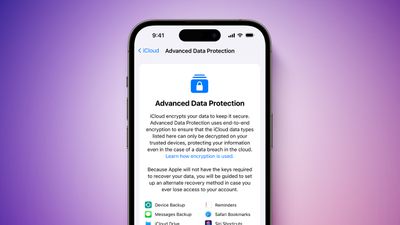
Apple says the study's findings emphasize the need for end-to-end encryption, which iCloud already provides for 14 data categories by default. For users looking for additional protection, Apple offers an optional feature called Advanced Data Protection, which increases the number of iCloud data categories covered by end-to-end encryption to 23, including iCloud Backup, Notes, Photos, Voice Memos, and more.
"Bad actors continue to pour enormous amounts of time and resources into finding more creative and effective ways to steal consumer data, and we won't rest in our efforts to stop them," said Apple's software engineering chief Craig Federighi.
Popular Stories
Last year, Apple launched CarPlay Ultra, the long-awaited next-generation version of its CarPlay software system for vehicles. Nearly nine months later, CarPlay Ultra is still limited to Aston Martin's latest luxury vehicles, but that should change fairly soon.
In May 2025, Apple said many other vehicle brands planned to offer CarPlay Ultra, including Hyundai, Kia, and Genesis.
In his Powe...
The calendar has turned to February, and a new report indicates that Apple's next product launch is "imminent," in the form of new MacBook Pro models.
"All signs point to an imminent launch of next-generation MacBook Pros that retain the current form factor but deliver faster chips," Bloomberg's Mark Gurman said on Sunday. "I'm told the new models — code-named J714 and J716 — are slated...
Apple is planning to launch new MacBook Pro models with M5 Pro and M5 Max chips alongside macOS 26.3, according to Bloomberg's Mark Gurman.
"Apple's faster MacBook Pros are planned for the macOS 26.3 release cycle," wrote Gurman, in his Power On newsletter today.
"I'm told the new models — code-named J714 and J716 — are slated for the macOS 26.3 software cycle, which runs from...
We are still waiting for the iOS 26.3 Release Candidate to come out, so the first iOS 26.4 beta is likely still at least a week or two away. Following beta testing, iOS 26.4 will likely be released to the general public in March or April.
Below, we have recapped known or rumored iOS 26.3 and iOS 26.4 features so far.
iOS 26.3
iPhone to Android Transfer Tool
iOS 26.3 makes it easier...
Apple recently updated its online store with a new ordering process for Macs, including the MacBook Air, MacBook Pro, iMac, Mac mini, Mac Studio, and Mac Pro.
There used to be a handful of standard configurations available for each Mac, but now you must configure a Mac entirely from scratch on a feature-by-feature basis. In other words, ordering a new Mac now works much like ordering an...






















