

Apple Details What to Do If You Can't Update HomePod When Advanced Data Protection Is Enabled - MacRumorsOpen MenuShow RoundupsShow Forums menuVisit ForumsOpen Sidebar
Skip to Content

Apple Details What to Do If You Can't Update HomePod When Advanced Data Protection Is Enabled

Apple has published a new support document explaining what to do if users are unable to set up or update a HomePod when Advanced Data Protection for iCloud is enabled.
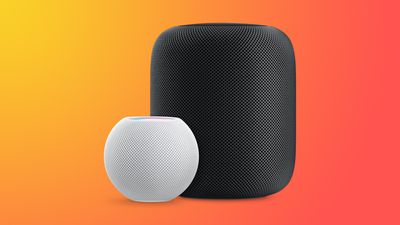
HomePodandMini feature orange
To use Advanced Data Protection for iCloud, all the devices logged into your Apple ID require a minimum software version. That includes HomePod speakers, which must be running at least HomePod software 16.2.

However, according to Bloomberg's Mark Gurman, there is a bug in the Home app that prevents HomePods running older versions of the software from being updated if iCloud end-to-end encryption has been turned on.

This means anyone buying a HomePod that ships with an OS older than 16.2 won't be able to set it up, because doing so first requires an update.

Apple's support document explains what options are available to customers facing this predicament. If the speaker in question is a HomePod mini, users can connect it to a Mac via the USB-C cable and update it through Finder (or iTunes on a PC) by selecting the HomePod in the Finder sidebar and clicking the Restore HomePod option. This will update the speaker to the latest software, after which it can be properly set up.

The full-size first-generation HomePod and the new 2023 HomePod have no USB-C port, so unless Apple includes a fix in iOS 16.3, which is expected to be released next week, owners of these speakers will have to temporarily turn off Advanced Data Protection to update the HomePod software. Apple outlines how to do that in the following way:

  1. Turn off Advanced Data Protection in iCloud settings on your iPhone, iPad, or Mac: In Settings or System Settings, tap your name, then tap iCloud. Scroll to Advanced Data Protection and turn off Advanced Data Protection.
  2. If you received an error message when you previously tried to set up your HomePod, you may need to reset your HomePod. Then set up your HomePod.
  3. Update your HomePod to the latest software using the Home app.
  4. Turn on Advanced Data Protection in iCloud settings on your iPhone, iPad, or Mac: In Settings or System Settings, tap your name, then tap iCloud. Scroll to Advanced Data Protection and turn on Advanced Data Protection.

Apple advises anyone who temporarily turns off Advanced Data Protection to turn it back on immediately after their HomePod software is updated.


Related Roundups: HomePod, HomePod mini

Popular Stories

iCloud General Feature Redux

iCloud+ Subscribers Get Higher Apple Intelligence Usage Limits in iOS 27

Tuesday June 9, 2026 6:05 am PDT by
Certain Apple Intelligence features in iOS 27 will carry daily usage limits, with iCloud+ subscribers receiving higher allowances than free users. The company reiterated the details in its press release accompanying yesterday's Apple Intelligence announcements. Apple said the limits apply to features that rely on "powerful server models," with image generation cited as the primary example....
iCloud General Feature Redux

Apple's New Hide My Email Domain Makes It Easier to Block iCloud Aliases

Wednesday June 17, 2026 7:41 am PDT by
Apple's decision to move Hide My Email to a dedicated "private.icloud.com" domain appears to have the consequence of making it easier for platforms that want to block iCloud aliases to do so. Apple is unifying the email domains used by Sign in with Apple and iCloud+ Hide My Email under a single private.icloud.com domain later this summer. Sign in with Apple currently uses...
iCloud General Feature Redux

UK iCloud Users Could Claim £77 Each as Apple Case Heads to Trial

Tuesday June 23, 2026 1:49 am PDT by
A class action lawsuit accusing Apple of overcharging U.K. iCloud users has been certified to go ahead, putting the £3 billion ($3.9 billion) claim on track for a trial in October 2028. According to BBC News, the Competition Appeal Tribunal cleared consumer group Which? to bring the case on behalf of an estimated 40 million U.K. iPhone and iPad owners, each of whom could receive up to £77...

Top Rated Comments

cashville2400 Avatar
45 months ago
This is ridiculously embarrassing! I miss the old Apple.
Score: 16 Votes (Like | Disagree)
contacos Avatar
45 months ago
It just works …

if you research. That value preposition of Apple is long gone unfortunately
Score: 15 Votes (Like | Disagree)
45 months ago

The full-size first-generation HomePod and the new 2023 HomePod have no USB-C port
Why don’t they just standardize on USB-C?

The product lineup is becoming too fragmented.

Score: 13 Votes (Like | Disagree)
45 months ago
Oops. But I'm not surprised. This is the new Apple.

Score: 12 Votes (Like | Disagree)
MacWiz_007 Avatar
45 months ago
Here's what I'll do, I won't buy a HomePod...for the second time around.

Score: 7 Votes (Like | Disagree)
Menel Avatar
45 months ago

It just works …

if you research. That value preposition of Apple is long gone unfortunately

It's an optional security layer.
The more security layers you heap on, the more issues you're going to have, in general.
Score: 6 Votes (Like | Disagree)

🔗 Related Apple News & Rumors

Stay updated with the latest Apple ecosystem news and verified rumors





































