

Apple released iOS 16 on Monday, September 12 as a free software update for the iPhone 8 and newer. iOS 16 includes plenty of new features, ranging from a customizable Lock Screen to the ability to temporarily edit or unsend iMessages.
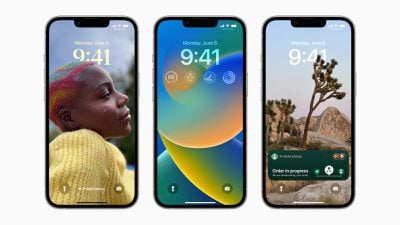
To install iOS 16, open the Settings app on your iPhone and tap General → Software Update. After you update your iPhone to iOS 16, check out our list of six useful new features to try out below.
Customize the Lock Screen
The headline new feature of iOS 16 is the ability to personalize the Lock Screen with multi-layered wallpapers, widgets, custom fonts for the date and time, and more. You can also select a set of photos to shuffle on the Lock Screen throughout the day.
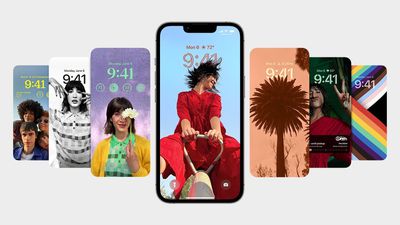
The new Lock Screen gallery showcases a range of Lock Screen options, including a new Weather wallpaper with live weather conditions and an Astronomy wallpaper that provides views of the Earth, Moon, and Solar System. iOS 16 includes support for multiple Lock Screen designs, allowing you to switch between your favorites with a swipe.
Related: How to customize the Lock Screen on iOS 16
Edit or Unsend an iMessage
iOS 16 introduces the ability to temporarily edit or unsend iMessages, as well as mark iMessage conversations as unread after opening them.
Apple allows you to edit an iMessage for up to 15 minutes after sending it, with up to five edits allowed per message. Recipients are able to see a record of edits made to the message, and on devices running iOS 15 or earlier, edited messages are received as a new message that says "Edited to [new message]."
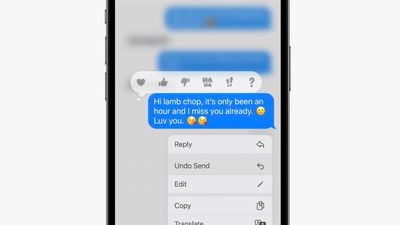
To edit or unsend a message, simply tap and hold on a bubble and select the appropriate option in the menu that appears. iMessages that have been edited are marked as "edited" below the message bubble. SMS messages (green bubbles) cannot be edited or unsent.
Use the Full-Screen Music Player
iOS 16 reintroduces a full-screen music player on the Lock Screen with large album art and a color-matched wallpaper.
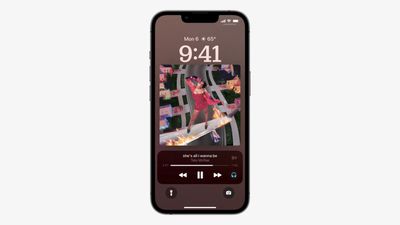
Apple last offered a full-screen music player on the Lock Screen on iOS 10 in 2016. If you don't like the feature, you can tap on the bottom of the display to minimize the music player and revert to your standard Lock Screen wallpaper.
Game With Nintendo Joy-Cons
iPhones feature support for many additional Bluetooth game controllers on iOS 16, including the Nintendo Switch's Joy-Cons and Pro Controller. iPhones running iOS 16 can be used with either single left or right Joy-Cons, or both at once as a singular controller.
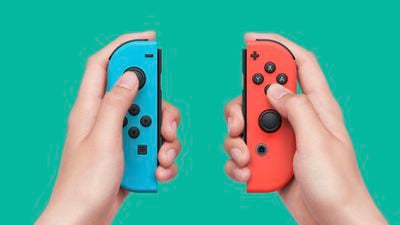
This is on top of the iPhone's existing compatibility with PS5 DualSense and Xbox Series X controllers since the release of iOS 14.5 last year.
Track an Apple Pay Order
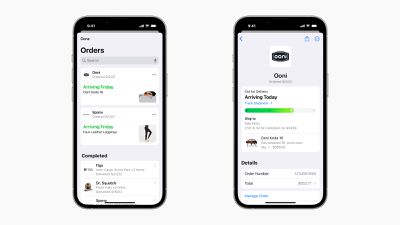
Apple Pay on iOS 16 features new built-in order tracking information in the Wallet app for online orders completed via Apple Pay. The tracker provides an order's estimated delivery date and indicates when a package is out for delivery.
Close Your Rings Without an Apple Watch
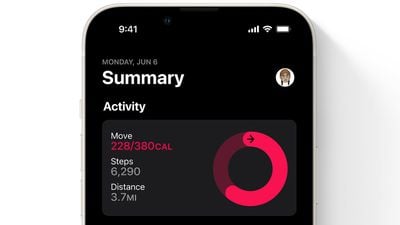
Starting with iOS 16, the Fitness app is now available on the iPhone for all users, even without an Apple Watch. The app features a daily Activity ring that relies on the iPhone's motion sensors to estimate a person's calories burned and steps per day.
During its iPhone 14 event, Apple announced that its Fitness+ service will be available for iPhone users without an Apple Watch later this year in the 21 countries where the service is available. Fitness+ is priced at $9.99 per month or $79.99 per year.



















































