

Apple Clarifies Power-Saving Modes of AirPods Max When Not in Use

When Apple unveiled AirPods Max last week, it revealed that they don't come with an on/off power button, but instead enter an "ultralow" power mode when inserted into the included Smart Case. That left a lot of questions about what happens to battery life when they're left out of the Smart Case and not being actively used. However, today Apple has provided some somewhat surprising answers to those questions, suggesting that the Smart Case isn't as essential to preserving battery life as many first thought.
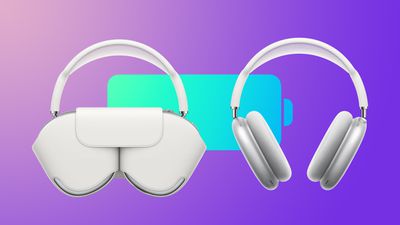
AirPods Max Smart Case Battery Life Feature2
According to Apple, when ‌AirPods Max‌ are taken off but not put in their Smart Case, they enter a "low power mode" after five minutes of being left stationary. If left untouched, they remain in this low power mode for three days, after which the headphones enter an "ultralow" power state that disables Bluetooth and their Find My location to help further retain their remaining charge. From Apple's AirPods Max support document, updated overnight:

If you set your AirPods Max down and leave them stationary for 5 minutes, they go into a low power mode to preserve battery charge. After 72 stationary hours out of the Smart Case, your AirPods Max go into a lower power mode that turns off Bluetooth and Find My to preserve battery charge further.

Apple has also clarified how ‌AirPods Max‌ behave when placed in their Smart Case, and it turns out that the same two distinct low power states are involved, but enabled at different times. The first "low power mode" is immediately activated upon insertion, but the "ultralow" power mode doesn't actually kick in until after 18 hours in the Smart Case.

If you put your AirPods Max in the Smart Case when you're not using them, they go into a low power mode immediately to preserve battery charge. After 18 hours in the Smart Case, your AirPods Max go into an ultralow power mode that turns off Bluetooth and Find My and maximizes battery life.

Based on this description of ‌AirPods Max‌ power-saving modes, it would appear that the headphones enter the same "low power mode" when put down and left alone for five minutes as they do when placed in the Smart Case. However, the same "ultralow" power mode that activates after ‌AirPods Max‌ have been left for 18 hours in the Smart Case takes a full 72 hours to kick in when they are left out of the case.

Before Apple provided the above information, tests conducted by MacRumors suggested that ‌AirPods Max‌ battery drains only slightly faster when left outside of the case – a difference that is likely down to the longer time it takes for the "ultralow" power mode to activate when the headphones aren't in the Smart Case.

Putting aside the seeming arbitrariness of these sleep mode activation times, the main takeaway is that in the short term at least, there's no real power-saving advantage to be had from putting ‌AirPods Max‌ in the Smart Case instead of just setting them down on a desk and not touching them. But if you don't plan to use them again for the next 18 hours, then that's when to put them into the Smart Case, otherwise the "ultralow" power mode will take three days to activate, by which time the battery drain is likely to be a lot more significant.

Given the confusion that has followed the power-saving features of ‌AirPods Max‌, some users have speculated that Apple might be able to add a power-off functionality to the physical controls via a future software update. Is that something you would prefer over the current situation? Let us know in the comments.


Related Roundup: AirPods Max
Buyer's Guide: AirPods Max (Neutral)
Related Forum: AirPods

Popular Stories

Aston Martin CarPlay Ultra Screen

Apple's CarPlay Ultra to Expand to These Vehicle Brands Later This Year

Sunday February 1, 2026 10:08 am PST by
Last year, Apple launched CarPlay Ultra, the long-awaited next-generation version of its CarPlay software system for vehicles. Nearly nine months later, CarPlay Ultra is still limited to Aston Martin's latest luxury vehicles, but that should change fairly soon. In May 2025, Apple said many other vehicle brands planned to offer CarPlay Ultra, including Hyundai, Kia, and Genesis. In his Powe...
Apple Logo Black

Apple's Next Launch is 'Imminent'

Sunday February 1, 2026 12:31 pm PST by
The calendar has turned to February, and a new report indicates that Apple's next product launch is "imminent," in the form of new MacBook Pro models. "All signs point to an imminent launch of next-generation MacBook Pros that retain the current form factor but deliver faster chips," Bloomberg's Mark Gurman said on Sunday. "I'm told the new models — code-named J714 and J716 — are slated...
Apple MacBook Pro M4 hero

New MacBook Pros Reportedly Launching Alongside macOS 26.3

Sunday February 1, 2026 5:42 am PST by
Apple is planning to launch new MacBook Pro models with M5 Pro and M5 Max chips alongside macOS 26.3, according to Bloomberg's Mark Gurman. "Apple's faster MacBook Pros are planned for the macOS 26.3 release cycle," wrote Gurman, in his Power On newsletter today. "I'm told the new models — code-named J714 and J716 — are slated for the macOS 26.3 software cycle, which runs from...
iOS 26

iOS 26.3 and iOS 26.4 Will Add These New Features to Your iPhone

Tuesday February 3, 2026 7:47 am PST by
We are still waiting for the iOS 26.3 Release Candidate to come out, so the first iOS 26.4 beta is likely still at least a week or two away. Following beta testing, iOS 26.4 will likely be released to the general public in March or April. Below, we have recapped known or rumored iOS 26.3 and iOS 26.4 features so far. iOS 26.3 iPhone to Android Transfer Tool iOS 26.3 makes it easier...
14 inch MacBook Pro Keyboard

Apple Changes How You Order a Mac

Saturday January 31, 2026 10:51 am PST by
Apple recently updated its online store with a new ordering process for Macs, including the MacBook Air, MacBook Pro, iMac, Mac mini, Mac Studio, and Mac Pro. There used to be a handful of standard configurations available for each Mac, but now you must configure a Mac entirely from scratch on a feature-by-feature basis. In other words, ordering a new Mac now works much like ordering an...

Top Rated Comments

Kebabselector Avatar
67 months ago
Again Apple's reluctance to include a simple feature means you need to go through a ridiculous storage procedure to maintain battery life. Why not allow a press of the crown for a few seconds to power down the device instead.
Score: 38 Votes (Like | Disagree)
LongWayHome Avatar
67 months ago
This is really good to know. I wish Apple would just be upfront about this stuff from the get go instead of waiting until people complain enough they feel they have to explain how their devices actually work. We are paying a premium for these headphones and it would be REALLY nice to know that we don't have to use your ridiculous case and not lose a ton of battery because of it.
Score: 33 Votes (Like | Disagree)
SubduedTiger Avatar
67 months ago
And if a puppy dog wags its tail counterclockwise or a turtle is in mating season twice in a year, it goes into an ultra-ultra-low power mode after 22.6537225 minutes if the GMT offset is the absolute value of 3 hours or less. Otherwise, low power mode. Very intuitive. It just works.
Score: 19 Votes (Like | Disagree)
contacos Avatar
67 months ago
just adding a button as an additional way to turn things off surely would have been easier
Score: 18 Votes (Like | Disagree)
ZachNathan Avatar
67 months ago
Pressing and holding both the crown and the Transparency button for several seconds (I counted around 6-10) will power them completely off (similar to a hard reboot on iOS devices).
Score: 17 Votes (Like | Disagree)
0924487 Avatar
67 months ago
I think in the future, everything will be on all the time. Just like people, we don't die for a while when we have free time, right?
Score: 15 Votes (Like | Disagree)














