AirPods Max Battery Drains Only Slightly Faster Outside of Case

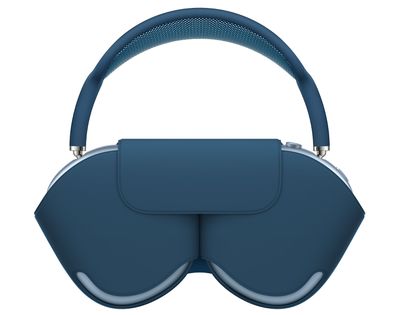
Apple did not include a power button on the AirPods Max, so there's no definitive way to turn them off, but Apple says that putting the headphones inside the included Smart Case puts them into an ultra low power mode.
AirPods Max Smart Case Battery Life Feature2
That's left a lot of questions about what happens to the ‌AirPods Max‌ when they're not inside the case yet not being actively used, so we've done some testing to attempt to figure out what's going on.

YouTuber Marques Brownlee (aka MKBHD) has said that the ‌AirPods Max‌ enter into a sleep mode after about two hours when just removed from the head and set down somewhere, and it does appear that the ‌AirPods Max‌ are staying actively connected to an iPhone for hours at a time.

At 9:00 a.m. Pacific Time yesterday morning, we connected the ‌AirPods Max‌ to an ‌iPhone‌, played a song, and then took them off and set them down on a desk. At this time, the battery was at 63 percent.

At 10:00 a.m., the ‌AirPods Max‌ were still connected, and the same goes for 11:00 a.m. During this period, the ‌AirPods Max‌ dropped to about 62 percent right around 10:00, and then stayed at that level until 11:26 before dropping to 60 percent battery life.

At 12:00 p.m., three hours later, the ‌AirPods Max‌ remained connected to the ‌iPhone‌ over Bluetooth and did not disconnect or go to sleep. During this time, the ‌iPhone‌ was in use for various activities and also in a rest mode where it wasn't in active use. The ‌AirPods Max‌ were left alone and not touched.

airpods max in case
Over a four hour period, the ‌AirPods Max‌ didn't disconnect and the battery life drained a total of three percent.

With a second set of ‌AirPods Max‌ and a different ‌iPhone‌ that was set aside and not used, we left them connected for more than two and a half hours and saw the same two percent drop in battery life. YouTuber Andru Edwards did a similar test and saw three percent battery drain over the course of 10 hours with the ‌AirPods Max‌ sitting out on a desk.

After monitoring the ‌AirPods Max‌ for a four hour period, we put them in the case at 1:00 p.m. When placed in the case, the ‌AirPods Max‌ immediately disconnected from the ‌iPhone‌ and it was no longer listed as connected in Bluetooth nor were battery levels listed.

We left the ‌AirPods Max‌ in the case to test battery drain while in Apple's advertised "ultra low power mode." From 1:00 p.m. Pacific Time to 5:00 p.m. Pacific Time, the ‌AirPods Max‌ drained approximately one percent while in the case. The battery was at 60 percent when they went in the case at 1:00, and 59 percent when they came out of the case at 5:00.

An hour of music playback on the ‌‌AirPods Max‌‌ with Active Noise Cancellation engaged appears to drain somewhere around four to five percent battery. Andru Edwards saw 3 percent battery drain in 10 hours and leaving a set of ‌AirPods Max‌ out all night we saw a total of 8 percent battery drain, so the amount of listening time you're losing will vary.

So while the ‌AirPods Max‌ do need the case to go into a low power mode that's the equivalent of a sleep mode, leaving them out and connected to your devices isn't the biggest hit on battery if you don't want the hassle of putting them into the case and taking them out. If you want maximum battery life, though, you need to put them in the case.

We still don't have a definitive answer on when the ‌AirPods Max‌ "sleep" when out of the case because they never appeared to disconnect from the ‌iPhone‌ in our testing without the case, but we do now have a better idea of what happens when they're used without a case.


Related Roundup: AirPods Max
Buyer's Guide: AirPods Max (Neutral)
Related Forum: AirPods

Popular Stories

Aston Martin CarPlay Ultra Screen

Apple's CarPlay Ultra to Expand to These Vehicle Brands Later This Year

Sunday February 1, 2026 10:08 am PST by
Last year, Apple launched CarPlay Ultra, the long-awaited next-generation version of its CarPlay software system for vehicles. Nearly nine months later, CarPlay Ultra is still limited to Aston Martin's latest luxury vehicles, but that should change fairly soon. In May 2025, Apple said many other vehicle brands planned to offer CarPlay Ultra, including Hyundai, Kia, and Genesis. In his Powe...
iOS 26

iOS 26.3 and iOS 26.4 Will Add These New Features to Your iPhone

Tuesday February 3, 2026 7:47 am PST by
We are still waiting for the iOS 26.3 Release Candidate to come out, so the first iOS 26.4 beta is likely still at least a week or two away. Following beta testing, iOS 26.4 will likely be released to the general public in March or April. Below, we have recapped known or rumored iOS 26.3 and iOS 26.4 features so far. iOS 26.3 iPhone to Android Transfer Tool iOS 26.3 makes it easier...
Apple Logo Black

Apple's Next Launch is 'Imminent'

Sunday February 1, 2026 12:31 pm PST by
The calendar has turned to February, and a new report indicates that Apple's next product launch is "imminent," in the form of new MacBook Pro models. "All signs point to an imminent launch of next-generation MacBook Pros that retain the current form factor but deliver faster chips," Bloomberg's Mark Gurman said on Sunday. "I'm told the new models — code-named J714 and J716 — are slated...
Apple MacBook Pro M4 hero

New MacBook Pros Reportedly Launching Alongside macOS 26.3

Sunday February 1, 2026 5:42 am PST by
Apple is planning to launch new MacBook Pro models with M5 Pro and M5 Max chips alongside macOS 26.3, according to Bloomberg's Mark Gurman. "Apple's faster MacBook Pros are planned for the macOS 26.3 release cycle," wrote Gurman, in his Power On newsletter today. "I'm told the new models — code-named J714 and J716 — are slated for the macOS 26.3 software cycle, which runs from...
iOS 26 Home Feature

Apple Gives Final Warning to Home App Users

Tuesday February 3, 2026 8:55 am PST by
In 2022, Apple introduced a new Apple Home architecture that is "more reliable and efficient," and the deadline to upgrade and avoid issues is fast approaching. In an email this week, Apple gave customers a final reminder to upgrade their Home app by February 10, 2026. Apple says users who do not upgrade may experience issues with accessories and automations, or lose access to their smart...

Top Rated Comments

Herrpod Avatar
67 months ago
Put a power button on it and it won't drain at all. What a stupid design.
Score: 79 Votes (Like | Disagree)
F23 Avatar
67 months ago
thank you for testing this. 8% overnight compared to <1% if it was fully turned off is pretty bad for something this expensive.
Score: 33 Votes (Like | Disagree)
cmaier Avatar
67 months ago
Dear MacRumors: stop giving people one less thing to whine about
Score: 30 Votes (Like | Disagree)
payup Avatar
67 months ago
Mine drained 6% between 1am and 9am. They should add power off via long hold of the transparency button. Coming from QC35s that I charge like once per 1-2 weeks, this kind of sucks.
Score: 17 Votes (Like | Disagree)
cmaier Avatar
67 months ago

How good is the microphone sound quality on these?
I used it on one phone call and nobody complained. Though I was annoyed that I couldn’t hear myself talk because of the noise cancellation - I had to hit the button to toggle it into transparency. Would be nice if it took care of that for you, since the phone knows you are on a call and hearing yourself talk would be helpful.
Score: 17 Votes (Like | Disagree)
cmaier Avatar
67 months ago

Do I want to have to press a power button every time I want to turn them on and off, OR do I want to have to charge more often? I think I'd rather have an instant on device that I have to plug in every few uses. But I'll find out IRL whenever my headphones finally ship....
Having a power button wouldn’t force you to use the power button, of course. Just like you don’t have to use the case.
Score: 11 Votes (Like | Disagree)