

Everything New in iOS 14 Beta 2: New Calendar Icon, Files Widget and More - MacRumorsOpen MenuShow RoundupsShow Forums menuVisit ForumsOpen Sidebar
Skip to Content

Everything New in iOS 14 Beta 2: New Calendar Icon, Files Widget and More

Apple today released the second beta of iOS 14 to developers for testing purposes, tweaking and refining some of the features that are coming in the update. Below, we've rounded up all of the changes that we found in the second beta.

- Calendar icon - There's a new Calendar app icon in iOS 14 beta 2, with the day of the week abbreviated rather than spelled out.
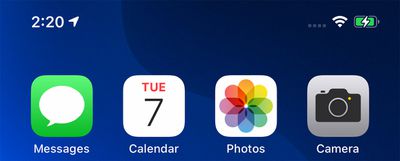
calendaricon
- Clock icon - The clock icon has also been slightly tweaked with a bolder font and thicker hour and minute hands.
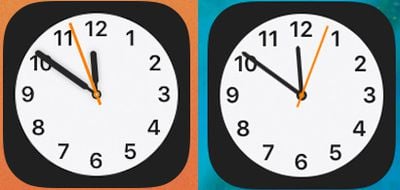
clockappcomparison

New clock icon on left, beta 1 clock icon on right

- Files widget - There's a new widget for the Files app that can be added to the Today View or the Home Screen.
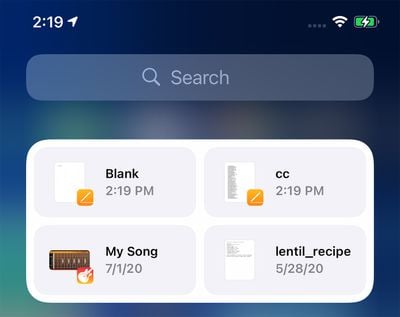
filesappwidget
- Congestion Zones - Alerts are now provided in cities with congestion zones that charge tolls, such as London and Paris. There are also alerts for license plate restriction zones in countries that have license plate restrictions.

- Weather widget fix - The Weather widget has been fixed so it no longer shows Cupertino instead of current location.

- Reminders emoji - Emoji in Reminders lists have been redesigned.
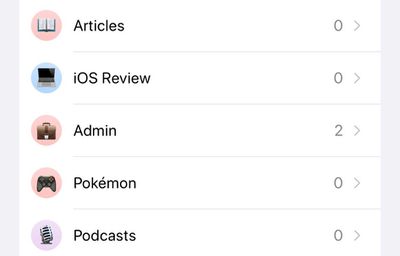
remindersemoji
- Shortcuts - There's no longer an option to open .shortcuts files in the Shortcuts app.
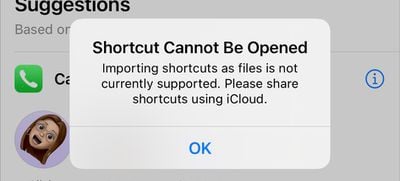
shortcutsopenfile
- App Library - Apps downloaded to the App Library and not the ‌Home Screen‌ can now be deleted directly from the App Library. The "Remove" feature for other apps is now "Delete."
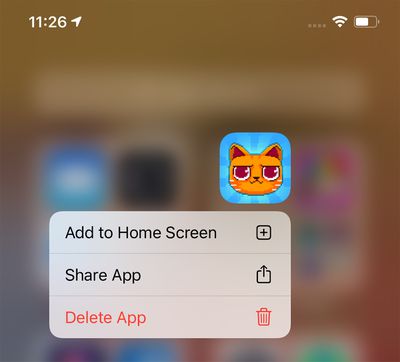
applibrarydelete
- HomeKit Favorites - The ‌HomeKit‌ favorites listed in the Control Center now feature larger icons for some people.
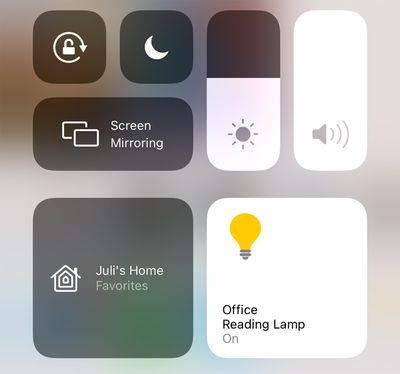
homekitcontrolcenter

- Music - A Music app setting allows animated cover art to be disabled. The Music app also no longer features a toggle for "Show Apple Music."
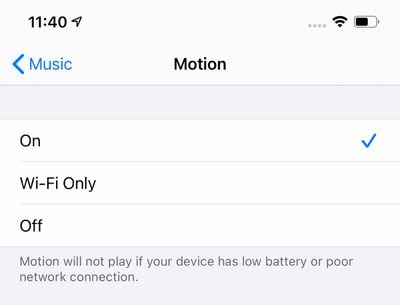
applemusicmotion
- Music haptics - Pressing the play, pause, next, and back buttons on the Now Playing screen in ‌Apple Music‌ provides haptic feedback.

- Family Sharing - There's a new icon for family sharing in the Settings app.
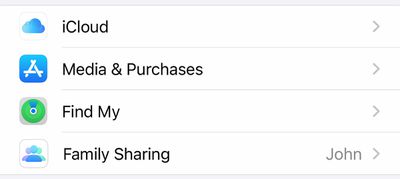
ios14familysharing
- Apple Pay - ‌Apple Pay‌ is now available in Mac catalyst apps.

- WiFi Privacy Warning - When connecting to a WiFi network that doesn't use Private Wi-Fi Address, Apple provides a warning message in the Settings app.
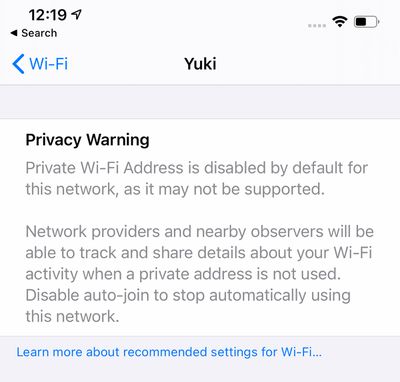
wifiwarning
- Control Center - Control Center now displays which apps have recently accessed the microphone or the camera.
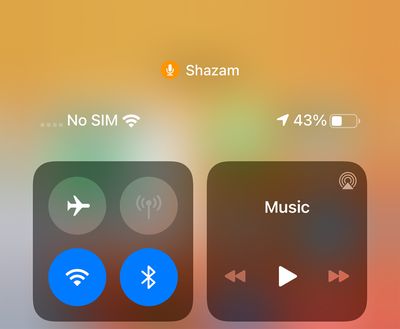
controlcentermicrophonecameraprivacy
Have you found other changes not listed here? Let us know in the comments and we'll add them to the list.


Related Forum: iOS 14

Popular Stories

iOS 27 Next to iPhone

Here's When iOS 27 Rolls Out Today in Every Time Zone [Update: It's Out]

Sunday September 13, 2026 3:00 am PDT by
Update 10:04 a.m.: iOS 27 is rolling out now, though it may take a bit for all users to see it, so keep checking! Apple is about to release iOS 27, which will finally deliver more advanced Siri AI capabilities as well as a variety of other refinements, improvements, and new features to iPhones. It's Apple's biggest software update of the year, and Apple announced at Wednesday's iPhone event...
iOS 27 Icon iPhone

iOS 27 Available Now With These 8 New Features

Monday September 14, 2026 9:00 am PDT by
Update — 10 a.m. Pacific Time: Apple has released iOS 27. During its iPhone 18 Pro and iPhone Duo event last week, Apple announced that iOS 27 will be released widely on Monday, September 14. iOS 27 should be available around 10 a.m. Pacific Time / 1 p.m. Eastern Time today via the Settings app, under General → Software Update. Below, we have highlighted eight new features and...
deep black iphone 18 pro

Apple Says iPhone 18 Pro Max Sold in U.S. Differs in One Way

Saturday September 12, 2026 3:27 pm PDT by
As noted by Nicolas Lellouche, who writes for the French tech website Numerama, Apple has updated its tech specs pages for the iPhone 18 Pro and iPhone 18 Pro Max to clarify which models are equipped with its new C2 cellular modem and where. Apple now says the iPhone 18 Pro has a C2 modem worldwide, while the iPhone 18 Pro Max uses the chip in every country except for the U.S. According...

Top Rated Comments

JGIGS Avatar
81 months ago
Would love the ability to toggle off the app names at the bottom of the icons. It's great being able to do this on Android. Looks so much cleaner.
Score: 17 Votes (Like | Disagree)

81 months ago
I still wish there was a function to customize which of my favorited HomeKit accessories show up in Control Center.
Score: 14 Votes (Like | Disagree)
WB2Colorado Avatar
81 months ago

Control Center - Control Center now displays which apps have recently accessed the microphone or the camera.
This is not new in beta 2. It was in beta 1 as well.
Score: 9 Votes (Like | Disagree)
Alan Gordon Avatar
81 months ago

I wonder why “old” widgets are still around.

they can’t be moved, are unable to leave left of home, and are totally destroyed by new widgets. Not sure why they are still part of the OS
I'm guessing it's to give developers time to upgrade their apps before breaking functionality.
Score: 7 Votes (Like | Disagree)
GtrDude Avatar
81 months ago
Another iOS update with at least half of the updates completely useless or just visual stuff.
Apple needs to:
1. redesign the notification center. It's ridiculous.
2. add haptic feedback to the keyboard, and make it possible to customize different intensities to your heart's content. It's crazy that you have no feedback whatsoever if you're typing and have the phone on mute.Those who are concerned with battery can just turn it off.
3. make it possible to adjust volume for independent apps and settings and not this general thing they're doing, forcing you to do it while the thing is being played, such as separate volume control for keyboard volume, music volume, ring volume, system volume.
4. add suggestions from the address book when you're dialing a phone number. Common now Apple.
5. make it possible to customize the texting app in every conceivable way. Font size, bubble size shape color.
6. make it possible to schedule a message to be sent at a certain time/date.
7. make it possible to move the icons anywhere you want to.
8. Use an OS-wide clipboard and make it not expire. You should be able to copy text now and paste it tomorrow if you want to.
9. Give us an option to NOT go to the next email but back to inbox after deleting an email.
Score: 6 Votes (Like | Disagree)
81 months ago
Changes in the weather app:

-Minor changes to how air quality is displayed.
-At the bottom of the weather app in iOS 14 beta one, it displayed the city name. Now in beta 2, it is displaying a street name, hinting at deeper integration with Dark Sky


-in beta 2, weather warnings and advisories from government weather offices are displayed


Attachment Image

Attachment Image

Attachment Image

Attachment Image

Attachment Image
Score: 4 Votes (Like | Disagree)

🔗 Related Apple News & Rumors

Stay updated with the latest Apple ecosystem news and verified rumors











































