

Apple Releases iOS and iPadOS 13.3 With Communication Limits for Screen Time, Safari Physical Security Key Support, and More - MacRumorsOpen MenuShow RoundupsShow Forums menuVisit ForumsOpen Sidebar
Skip to Content

Apple Releases iOS and iPadOS 13.3 With Communication Limits for Screen Time, Safari Physical Security Key Support, and More

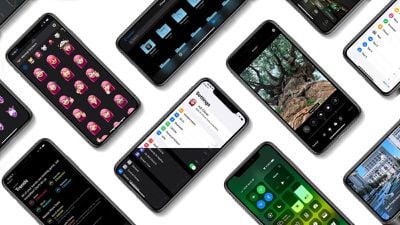
Apple today released iOS 13.3, the third major update to the iOS and iPadOS 13 operating systems. The new software updates come two weeks after the release of iOS/iPadOS 13.2.3 and more than a month after the launch of iOS 13.2, which brought new emoji.

The iOS and ‌‌iPadOS‌‌ 13.3 updates are available on all eligible devices over-the-air in the Settings app. To access the updates, go to Settings > General > Software Update. Apple has also released an iOS 12.4.4 update for older devices that aren't able to run iOS 13.
ryanscoolios13thumbnail
iOS 13.3 continues to add features that were originally promised for iOS 13 but were ultimately eliminated during the beta testing process, with the update introducing Communication Limits for Screen Time.

Communication Limits let parents control who their children are able to contact, with the feature covering FaceTime, Phone, Messages, and iCloud Contacts.

Calls to emergency numbers are always allowed and when placed, will turn off communication limits for 24 hours to make sure children are safe and not restricted from communicating with people in the event of an emergency.

The iOS 13.3 and iPadOS 13.3 updates bring support for NFC, USB, and Lightning FIDO2-compliant security keys in Safari. That means physical security keys like the Lightning-equipped YubiKey can be used for more secure two-factor authentication in place of a software-based two-factor authentication option.

In the Keyboards section of the Settings app (under General), there's a new toggle that prevents Animoji and Memoji stickers from being displayed as an option on the Emoji Keyboard for those who prefer not to see Animoji and Memoji sticker options.

When editing a video, there's a new feature that lets you save the edited version as a new clip rather than replacing the original, and Apple has also tweaked the Apple Watch app icon, changing the color of the Digital Crown from black to gray.

Apple's full release notes for the iOS 13.3 update are below:

iOS 13.3 includes improvements, bug fixes and additional parental controls for Screen Time.

Screen Time
- New parental controls provide more communication limits over who their children can call, FaceTime, or Message
- Contact list for children lets parents manage the contacts that appear on their children’s devices

Apple News
- New layout for Apple News+ stories from The Wall Street Journal and other leading newspapers
- Easily like or dislike stories with a tap

Stocks
- Stories from Apple News are now available in Canada in English and French
- Continue reading with links to related stories or more stories from the same publication
- “Breaking” and “Developing” labels for Top Stories

This update also includes bug fixes and other improvements. This update:
- Enables the creation of a new video clip when trimming a video in Photos
- Adds support for NFC, USB, and Lightning FIDO2-compliant security keys in Safari
- Fixes issues in Mail that may prevent downloading new messages
- Addresses an issue that prevented deleting messages in Gmail accounts
- Resolves issues that could cause incorrect characters to display in messages and duplication of sent messages in Exchange accounts
- Fixes an issue where the cursor may not move after long pressing on the space bar
- Addresses an issue that may cause screenshots to appear blurry when sent via Messages
- Resolves an issue where cropping or using Markup on screenshots may not save to Photos
- Fixes an issue where Voice Memos recordings may not be able to be shared with other audio apps
- Addresses an issue where the missed call badge on the Phone app may not clear
- Resolves an issue where the Cellular Data setting may incorrectly show as off
- Fixes an issue that prevented turning off Dark Mode when Smart Invert was enabled
- Addresses an issue where some wireless chargers may charge more slowly than expected

For more on the new features that Apple added to iOS with the launch of iOS 13, make sure to check out our iOS 13 roundup.


Related Forum: iOS 13

Popular Stories

Apple MacBook Pro with PROLED XDR Display family lineup feature

Apple Announces OLED MacBook Pro With Touch Display

Wednesday October 28, 2026 10:11 am PDT by
Apple today announced a new high-end MacBook Pro, which is available in 14-inch and 16-inch sizes. The new device has a PROLED XDR display that supports touch gestures, and a glowing rear Apple logo. Pricing on the MacBook Pro starts at $2,899 for the 14-inch model and $3,399 for the 16-inch model. Apple says the MacBook Pro has the "world's best display in a pro laptop." The PROLED...

iPhone Duo Display Cracking

Apple Alerts Stores to iPhone Duo's Display Cracking Issue

Friday October 30, 2026 3:20 pm PDT by
In a memo shared with Apple Stores and Apple Authorized Service Providers this week, and later obtained by MacRumors, Apple provided technicians with guidance on how to diagnose and address the iPhone Duo's inner display cracking issue. If a customer reports the issue, Apple advised technicians to inspect the iPhone Duo and repair or replace it in accordance with their standard procedures....
iPad mini OLED feature 1

Apple Executive Comments on New iPad Mini Lacking 120Hz Display

Thursday October 29, 2026 1:47 pm PDT by
While the new iPad mini has an OLED display, the device does not support ProMotion, meaning the display's refresh rate is limited to 60Hz instead of 120Hz. ProMotion support would have allowed for the iPad mini's refresh rate to automatically adjust from 10Hz to 120Hz depending on the content being displayed, but evidently Apple has kept the feature exclusive to the iPad Pro among iPad...

Top Rated Comments

zorinlynx Avatar
90 months ago

Ive never had a device brick ever.
iOS devices can't really be bricked because you can always DFU them.

Even with over the air updates, bricking is practically impossible now with APFS.

The way the updates work is:

- The OS partition is cloned. (copy on write, this doesn't take extra space)
- The update is applied to the cloned partition. (Preparing update)
- The partition is verified; every file in it gets an md5 check to make sure the update has no errors. This is why that damn progress bar takes so long.
- The system is rebooted from the clone.
- Only after the system comes up correctly and various checks pass (the second progress bar) is the previous OS partition deleted.

This sequence of events makes it practically impossible for an over the air update to brick the device anymore. If something interrupts the update, the device will just boot from the unmodified original OS version and you can try again.
Score: 21 Votes (Like | Disagree)
90 months ago
Let's see how buggy this version is...
Score: 11 Votes (Like | Disagree)
Elitegate Avatar
90 months ago

Also 12.4.4 for older devices
I love Apple for this. One big reason to favor Apple / iOS devices over Android.
Score: 7 Votes (Like | Disagree)
90 months ago
I'm getting kinda tired of hitting the 'download & install' button and having to go in again and tell it to install. Why don't they split up the two functions into 'download' and 'download & install' or just do what they asked to do? How many people have they hired from Microsoft?
Score: 6 Votes (Like | Disagree)
90 months ago

Very, real lag on everything. Watching a video in News and press up/down on the volume keys has 2-3 second lag

OK update, originally it was but had to close the apps and now it seems to be OK. Not sure what just happened but after the restart the phone was very unresponsive for 5 minutes
Always need to give it 24 hours or so to bake. iOS likes to reindex the filesystem after an update depending on how much you have installed....
Score: 5 Votes (Like | Disagree)
90 months ago

I haven't had a device brick in years. Is it really such a concern still?
Ive never had a device brick ever.
Score: 5 Votes (Like | Disagree)
Latest Stories
Apple Watch Ultra 4 Hits All-Time Low Price With Amazon's $99 Discount
2 hours ago
Reminder: Apple's Big Discount on Beats 360 Ear Cushions Ends Today
2 hours ago
Here's a New Tour of Apple's HomeView Software
2 hours ago
Apple Reveals New iPad Mini's Battery Capacity
4 hours ago
Top Stories: Apple's Big MacBook Pro, iPad mini and iMac Updates
5 hours ago
'Pluribus' Season 2 Reportedly Starts Production Today
12 hours ago
iPhone 18 Pro Sales Surge in China, Offsetting Decline in U.S. and Japan
12 hours ago
HomeView Software 27.2: Wallpapers, Control Center, and More
19 hours ago
Apple Alerts Stores to iPhone Duo's Display Cracking Issue
20 hours ago
iOS 27.3 Will Enable These Apple Intelligence Features in China
21 hours ago
Apple Says iOS 27.3 Beta Coming Next Week
21 hours ago
Apple's Flash Storage Suppliers Are Finally 'Getting Their Revenge'
22 hours ago
14 New Things Your iPhone Can Do in iOS 27.2
23 hours ago
iPhone Duo Review: One Week Later
1 day ago
Samsung Mocks iPhone Duo Display Cracks in New Ad Campaign
1 day ago
The MacRumors Show: OLED MacBook Pro, iPad Mini 8, and More
1 day ago
MacBook Pro With Touch Display: 15 More Details Revealed
1 day ago
Russia Places Apple on State Surveillance Registry
1 day ago
Halloween Weekend Brings Discounts on Apple Accessories and Pre-Orders
1 day ago
Apple Has Released More Than 25 New Products in the Past Two Months
1 day ago
Local Code Launches as Free, Private AI Assistant Tool for Mac
1 day ago
Apple Acquires Ascend.io
1 day ago
HomePod Mini 2 Launches Today: All the New Features
1 day ago
AirTag 2 4-Pack Drops to New Low Price of $69.99
1 day ago
Rian Johnson's iPhone Camera App Goes Viral
1 day ago
Where Did All the iPhone Duos Go? Mostly to Apple's Stores
1 day ago
Apple's Touchscreen MacBook Pro Could Ship 1.5M Units in 2027
1 day ago
New Apple TV 4K and iPad Mini: RAM Amounts Revealed
2 days ago
Apple Executive Comments on New iPad Mini Lacking 120Hz Display
2 days ago
Here's a Hands-On Look at HomePod Mini 2's New Two-Tone Colors
2 days ago

🔗 Related Apple News & Rumors

Stay updated with the latest Apple ecosystem news and verified rumors











































