2018 MacBook Pros Have New 'Titan Ridge' Thunderbolt 3 Controller, But DisplayPort 1.4 Isn't Truly Supported
Earlier this week, the repair experts at iFixit opened up the 2018 MacBook Pro, uncovering Intel's new JHL7540 Thunderbolt 3 controller, introduced earlier this year as part of its "Titan Ridge" family.
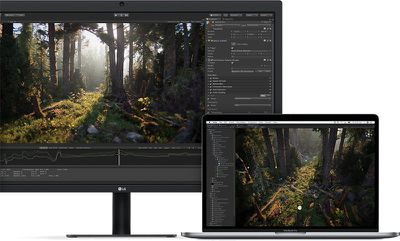
While the specifications for the JHL7540 lists compatibility with DisplayPort 1.4 on Intel's product database, it's not as clear-cut as it sounds, as support also relies on graphics, which vary by MacBook Pro model.
MacRumors reached out to Apple for clarification. Here's what we learned:
- The new 15-inch MacBook Pro with Touch Bar models support DisplayPort at High-Bit Rate 3 (HBR3), a signal standard of both DisplayPort 1.3 and DisplayPort 1.4. Apple says the dedicated Radeon Pro graphics can drive up to two 5K displays at 60Hz, each over a single stream.
- The new 13-inch MacBook Pro with Touch Bar models support DisplayPort at High-Bit Rate 2 (HBR2), a signal standard of DisplayPort 1.2. This is a limitation of the Iris Plus Graphics 655 in these models, as Intel's integrated GPUs do not support DisplayPort 1.4.
What that means:
- The new 15-inch MacBook Pro theoretically supports DisplayPort 1.4, which Apple confirmed, but at least for now, it still can't drive an 8K display. It could be possible with VESA's lossless Display Stream Compression standard, perhaps, but it's unclear if this can be enabled down the road.
- For now, then, the new 13-inch and 15-inch models have the same compatibility with external displays as the previous-generation MacBook Pro: up to two 5K displays or up to four 4K displays on the 15-inch model, and up to one 5K display or up to two 4K displays on the 13-inch model.
For comparison, 2016 and 2017 MacBook Pro models are equipped with Intel's JHL6540 Thunderbolt 3 controller, which supports DisplayPort 1.2.
In related news, Apple has also confirmed that all four Thunderbolt 3 ports on the new 13-inch MacBook Pro with Touch Bar are now full speed, compared to only the two left-facing ports on the equivalent 2016 and 2017 models.
Popular Stories
Last year, Apple launched CarPlay Ultra, the long-awaited next-generation version of its CarPlay software system for vehicles. Nearly nine months later, CarPlay Ultra is still limited to Aston Martin's latest luxury vehicles, but that should change fairly soon.
In May 2025, Apple said many other vehicle brands planned to offer CarPlay Ultra, including Hyundai, Kia, and Genesis.
In his Powe...
The calendar has turned to February, and a new report indicates that Apple's next product launch is "imminent," in the form of new MacBook Pro models.
"All signs point to an imminent launch of next-generation MacBook Pros that retain the current form factor but deliver faster chips," Bloomberg's Mark Gurman said on Sunday. "I'm told the new models — code-named J714 and J716 — are slated...
Apple is planning to launch new MacBook Pro models with M5 Pro and M5 Max chips alongside macOS 26.3, according to Bloomberg's Mark Gurman.
"Apple's faster MacBook Pros are planned for the macOS 26.3 release cycle," wrote Gurman, in his Power On newsletter today.
"I'm told the new models — code-named J714 and J716 — are slated for the macOS 26.3 software cycle, which runs from...
We are still waiting for the iOS 26.3 Release Candidate to come out, so the first iOS 26.4 beta is likely still at least a week or two away. Following beta testing, iOS 26.4 will likely be released to the general public in March or April.
Below, we have recapped known or rumored iOS 26.3 and iOS 26.4 features so far.
iOS 26.3
iPhone to Android Transfer Tool
iOS 26.3 makes it easier...
Apple recently updated its online store with a new ordering process for Macs, including the MacBook Air, MacBook Pro, iMac, Mac mini, Mac Studio, and Mac Pro.
There used to be a handful of standard configurations available for each Mac, but now you must configure a Mac entirely from scratch on a feature-by-feature basis. In other words, ordering a new Mac now works much like ordering an...






















