

Apple Attempts to Ease Concerns Over Wi-Fi Assist Data Usage - MacRumorsOpen MenuShow RoundupsShow Forums menuVisit ForumsOpen Sidebar
Skip to Content

Apple Attempts to Ease Concerns Over Wi-Fi Assist Data Usage

by

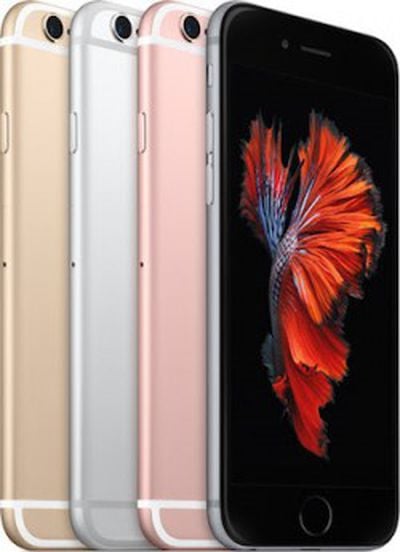
iPhone-6s-ColorsOne of the less talked about new features introduced in iOS 9 last month is called "Wi-Fi Assist," which automatically switches a user's iPhone to a cellular data connection when the local Wi-Fi isn't reliable.

Many iPhone users have taken to Reddit and the MacRumors Forums to warn others about the possibility of an increased monthly data plan due to the new feature, but now Apple is getting out in front of the issue and attempting to ease the qualms of its customers with a new support document centering on the issue (via Six Colors).

According to Apple, when a user sees the switch from Wi-Fi to cellular data while browsing an internet page in Safari, for example, they should only see a "small percentage" hike in data usage. The company also detailed which apps support the feature -- Apple Music, Mail, Maps, Safari, etc -- and still gave those concerned a step-by-step process to turn off Wi-Fi Assist. It ended the new support doc with a bullet list of interesting tidbits about the feature.

-Wi-Fi Assist will not automatically switch to cellular if you're data roaming.
-Wi-Fi Assist only works when you have apps running in the foreground and doesn't activate with background downloading of content.
-Wi-Fi Assist doesn’t activate with some third-party apps that stream audio or video, or download attachments, like an email app, as they might use large amounts of data.

Wi-Fi Assist is supported on any device that runs iOS 9 or later, excluding iPhone 4s, iPad 2, iPad (3rd generation), and iPad mini (1st generation). If the support document doesn't entirely ease your concerns, go to Settings > Cellular, and scroll down to underneath the full list of apps that use cellular data to find Wi-Fi Assist's on/off toggle.


Related Forum: iPhone

Top Rated Comments

143 months ago
The "concern" is that the default is set to use wifi assist. And unless you know about it/are looking for the support doc, you may not know that it's on. And will use cellular data when you might not want to.
Score: 16 Votes (Like | Disagree)
143 months ago
I don't understand what's the big deal with this. If you don't want to use your phone data, then disable it all together, but of course if your mobile data is better than wi-fi, you should use it to improve your experience. In fact, before this feature existed I just disabled Wi-fi all together (I still do) when I went to the city because trying to login to those 'free' hotspots from cafes is a nightmare, never mind the speed they offer.


Score: 15 Votes (Like | Disagree)
143 months ago
If you don't like it, just turn it off. People will whine about anything these days.
That works for those that know about it - understand it. But people don't know what they don't know.
Score: 13 Votes (Like | Disagree)
JXShine Avatar
143 months ago
If you don't like it, just turn it off. People will whine about anything these days.
Score: 11 Votes (Like | Disagree)
pgiguere1 Avatar
143 months ago
"Just turn it off" is easy to say when you know the feature exists.

If you don't, it's pretty unlikely that you'd find out just by messing around in Settings. It's at the very bottom of a very long list of apps after all, where you wouldn't expect to find additional settings.

I've had a few non-techies around me talk to me of this feature. None of them had heard about it through iOS, they knew because of mainstream media (TV, radio, journals, non-tech websites) warning people against it.

I think Apple should at the very least give that toggle more visibility, and consider making the feature opt-in rather than opt-out.
Score: 10 Votes (Like | Disagree)
143 months ago
It was in the release noted. If people can't read that's there issue
So you think that everyone with an iPhone reads up on tech news? Seriously?
Score: 7 Votes (Like | Disagree)

Popular Stories

iOS 27 Next to iPhone

Here's When iOS 27 Rolls Out Today in Every Time Zone [Update: It's Out]

Sunday September 13, 2026 3:00 am PDT by
Update 10:04 a.m.: iOS 27 is rolling out now, though it may take a bit for all users to see it, so keep checking! Apple is about to release iOS 27, which will finally deliver more advanced Siri AI capabilities as well as a variety of other refinements, improvements, and new features to iPhones. It's Apple's biggest software update of the year, and Apple announced at Wednesday's iPhone event...
iOS 27 Icon iPhone

iOS 27 Available Now With These 8 New Features

Monday September 14, 2026 9:00 am PDT by
Update — 10 a.m. Pacific Time: Apple has released iOS 27. During its iPhone 18 Pro and iPhone Duo event last week, Apple announced that iOS 27 will be released widely on Monday, September 14. iOS 27 should be available around 10 a.m. Pacific Time / 1 p.m. Eastern Time today via the Settings app, under General → Software Update. Below, we have highlighted eight new features and...
Apple iCloud Plus expansion hero

iCloud+ Now Includes Apple TV, Apple Arcade, and Curated Apple Music Stations in Over 100 Countries

Tuesday September 15, 2026 1:43 am PDT by
Apple today announced a new subscription initiative that turns paid iCloud+ subscriptions into a broader services bundle in more than 100 countries. In select countries, Apple says every paid iCloud+ plan, including the cheapest 50GB tier, now includes Apple TV and Apple Arcade "at no additional cost," while family sharing extends the storage, TV and Arcade access to up to five people....

🔗 Related Apple News & Rumors

Stay updated with the latest Apple ecosystem news and verified rumors










































