Apple covered the major new features of iOS 9 during today's keynote event, introducing a more intelligent and proactive Siri, split-screen multitasking for the iPad, major performance enhancements, Transit directions in Maps, a new News app, and more, but there are hundreds of other minor improvements that went unmentioned.
We've gathered up a list of some of the more notable changes and hidden new features in iOS 9 that have not yet been mentioned, to give you a better idea of what we can expect to see when the new operating system is released in the fall.
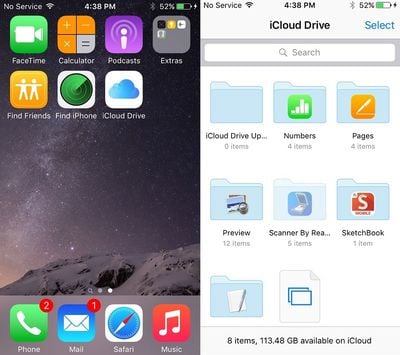
iCloud Drive - It wasn't mentioned during the keynote, but there's a new optional iCloud Drive app on iOS that can be turned on in the Settings menu. The app lets you access files stored in iCloud Drive.
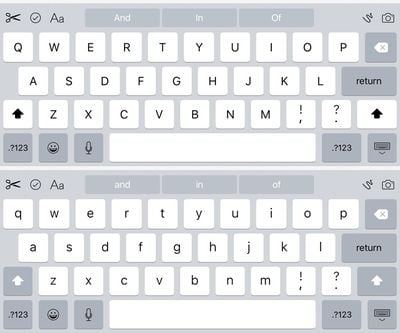
Keyboard changes - The shift function has been altered once again, making it easier to determine when it's activated and when caps lock is turned on. With shift pressed, all letters on the keyboard are now shown in upper case. With shift off, letters on the keyboard are lower case. On iPad, there are new edit controls, and the keyboard now uses the new San Francisco font.
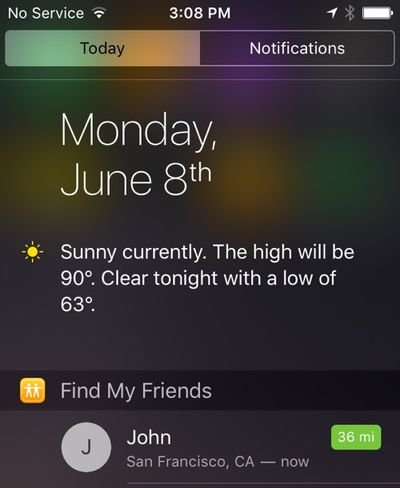
Find My Friends/iPhone - Find My Friends and Find My iPhone are both default apps with iOS 9 and come installed automatically. Before these needed to be downloaded from the App Store. Find My Friends can be added to the Notification Center, where it tracks the location of your friends.
Battery saving - Using ambient light and proximity sensors, your iPhone now knows when it's facedown on a table and will not turn the screen on, even when a Notification is received. Other enhancements add an additional 1 hour of battery life to the iPhone with iOS 9, and there's a new Low Power Mode that increases battery life another three hours. You'll get pop ups suggesting you turn on Low Power Mode when your iPhone reaches 20% and 10% battery life.
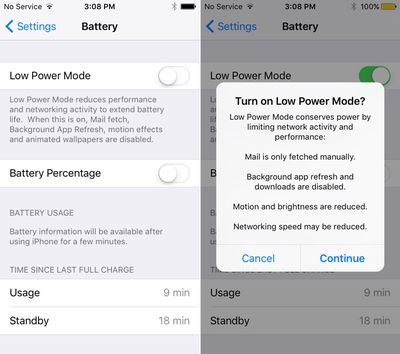
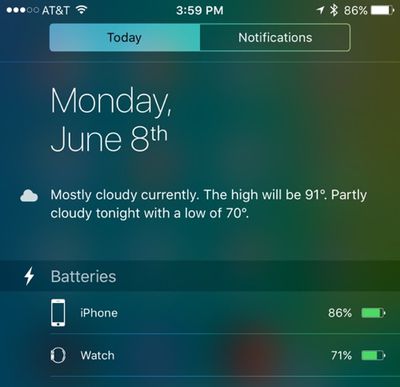
Battery settings - To go along with all the new battery features, there's a new dedicated "Battery" section in the settings app, where Low Power Mode can be turned on. It also displays more detailed battery usage information that can be sorted by apps using the most and the least amount of power. With Low Power Mode, background activity, motion effects, and animated wallpapers are disabled. Battery information is also displayed in the Notification Center, for both Apple Watch and iOS device.
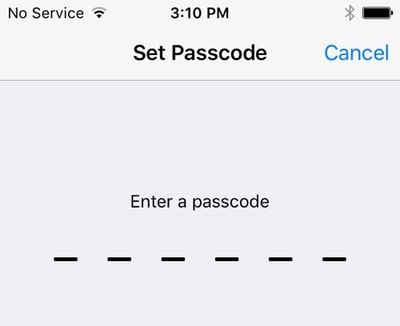
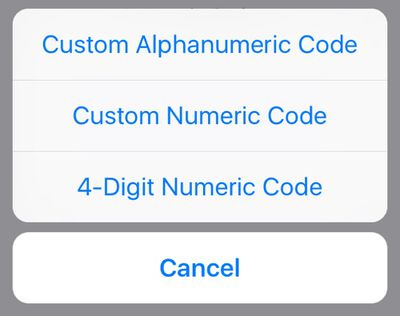
Passcode - When setting a Passcode, the default option requires you to enter a 6-digit passcode instead of a 4-digit passcode. There's still an option to choose a 4-digit passcode when you click "Passcode Options" when changing your passcode.
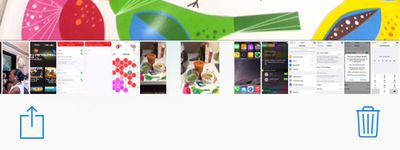
Photos - When you view a photo on the iPhone or iPad, there's a new option at the bottom that lets you quickly flip through all of the photos on your device. With the Photos picker in an app, you can also now select from iCloud Drive and other sources. When selecting photos to edit or share in the Photos app, if you hold a finger on the screen, you can swipe over several photos at once to select them, instead of needing to do so one by one.
Siri - Siri has an all new design that looks more like Siri on the Apple Watch. Your iPhone will also now vibrate when Siri is activated by holding the home button.

Siri mute - There's a new setting (General --> Siri --> Audio Feedback) that lets you choose to turn off Siri's voice when your device is muted.
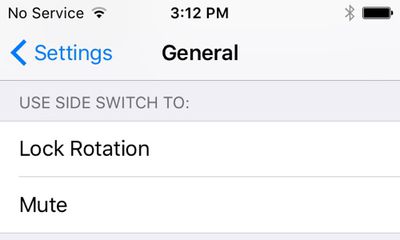
Side Switch - There's now an option on iPhone to use the side switch for Lock Rotation or Mute. Previously this option was limited to the iPad.
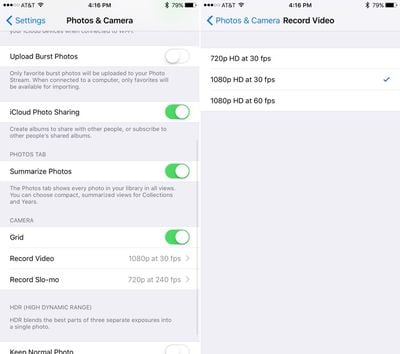
Video recording - There are new options for recording video and Slo-mo video. You can chose 720p HD at 30 fps, 1080p HD at 30 fps and 1080p HD at 60 fps for standard video and 720p HD at 120 fps or 720p HD at 240 fps for Slo-mo.
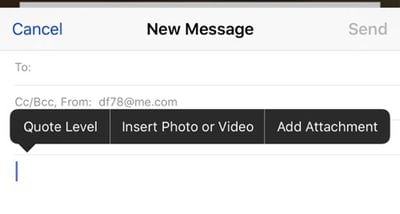
Mail - You can now add email attachments to messages in the Mail app, which sources documents from iCloud Drive.
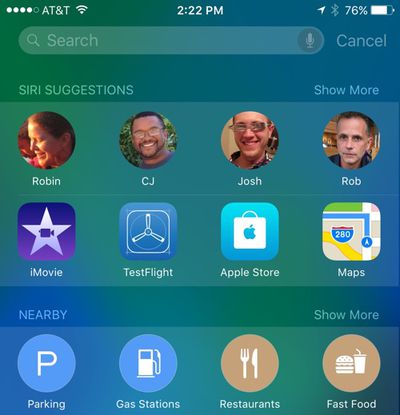
Contacts - Contacts are no longer shown in the App Switcher. Instead, you access them from the Proactive menu by swiping to the left on the home screen.
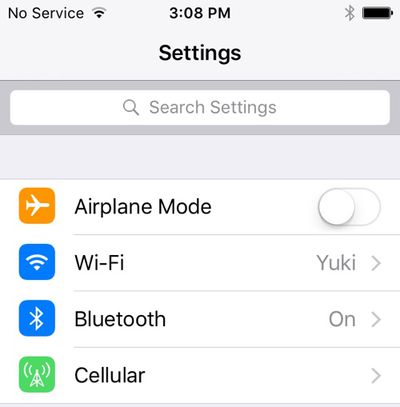
Settings Search - There's a new search bar in the Settings app that lets you quickly locate a specific setting.
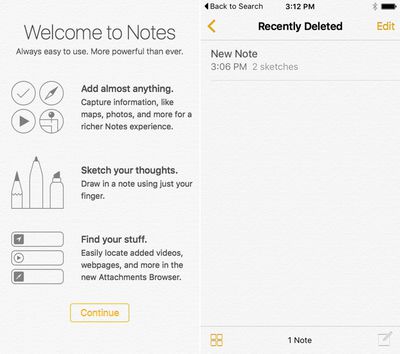
Notes - Apple introduced a new Notes app with better image support and sketching, but there's also a new "Recently deleted" list that lets you recover content that's been accidentally deleted.
Podcasts - The Podcasts app has been revamped with a new option that displays all Unplayed podcasts and a section that houses all of your stations in a list.

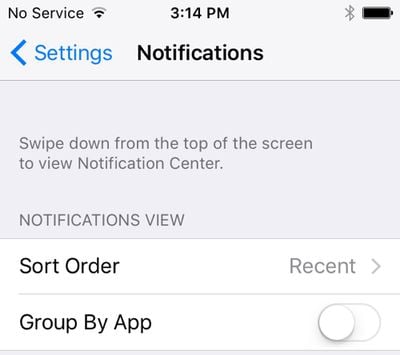
Notification Grouping - You can once again group Notifications by app, rather than by time and date received. This setting is new in the Settings app, and time and date sorting is the new default.
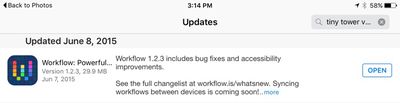
Go Back to App - When you tap on a Notification or a link in Safari and it opens a new app, you can go back to the previous app using a new "Go Back" button.
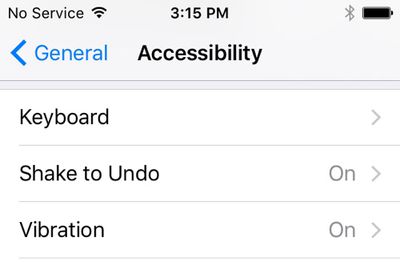
Vibration and Shake to Undo in Accessibility - It's possible to disable all vibrations on the iPhone and there's an accessibility option for turning off "Shake to Undo."
iPhone 6 Messages - On the iPhone 6, the Messages app now displays photos with contacts instead of just a name. Previously, photos for contacts were limited to the iPhone 6 Plus.
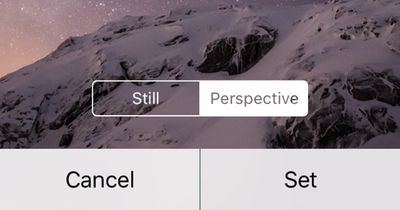
Wallpaper - iOS 9 includes a new wallpaper and an option to set wallpaper as "Still" or "Perspective," which moves slightly.
Voiceover - You can now use one of the Siri voices for Voiceover. Accessible by going to General --> Accessibility --> Voiceover --> Speech --> Default Dialect.
Content blockers - There's a new setting in Safari for "Content Blockers," suggesting developers might be able to create app extensions that block some content like pop-up ads and cookies.
Flag emoji category - In iOS 9, there's a new category in the emoji picker specifically for all of the different country flags.
Apple Pay - When your iPhone is locked, if you double-click on the home button, it'll bring up Wallet so you can make payments in stores quickly with Apple Pay.
Sending Photos via Mail - You can now add more than five photos from the Photos app to an email message. When in Photos, select as many photos as you like and use the share sheet to add them to Mail. Sending via Mail previously only allowed you to select five photos.
Health - There's a new landscape mode in the Health app that shows a graph of health data on the dashboard.
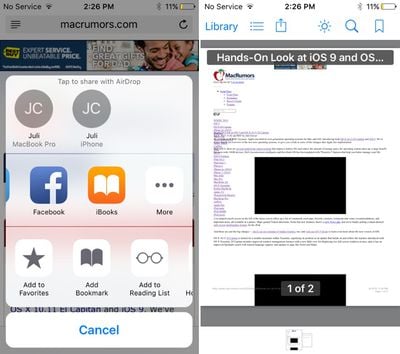
iBooks Safari extension - There's a new iBooks extension in Safari that will convert any website to a PDF, which allows it to then be opened in the iBooks app.
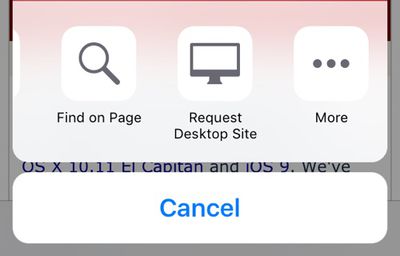
Safari Request Desktop Site - Safari's "Find on Page" and "Request Desktop Site" tools are now accessible from the Share Sheet.
Systemwide font - There's a new font in iOS 9 that you'll see throughout the operating system. It's called San Francisco, and it's the same font that was first used in the Apple Watch. It was custom designed by Apple.
We'll be updating this tidbits post as new information on iOS 9 is discovered, but lots more information on iOS 9 can be found in our dedicated iOS 9 forum.
iOS 9 is currently available to registered developers, and it will be available to public beta testers beginning in July. After an extended testing period, the new operating system will launch to the public in the fall months.