

Resetting Network Settings May Fix iMessages Not Working in iOS 7 - MacRumorsOpen MenuShow RoundupsShow Forums menuVisit ForumsOpen Sidebar
Skip to Content

Resetting Network Settings May Fix iMessages Not Working in iOS 7

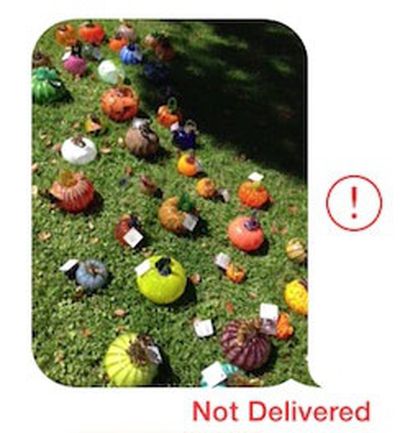
imessage_not_delivered_cropSince the release of iOS 7 earlier this month, a number of users have been complaining about issues with iMessages failing to be sent or received from their iOS devices.

While Apple's iMessage service has suffered from occasional outages, including a minor one documented on the company's System Status page earlier today, some users have been complaining of multi-day outages on their devices, suggesting that something more than a simple service problem may be occurring. Anecdotal reports have indicated that the issue may have worsened with last week's release of iOS 7.0.2, but reports of problems do date further back than that.

Some users have reported that turning their iOS devices off and back on fixes the problem, while others indicate that the solution has not worked for them. In our own testing with a device experiencing difficulties, the following steps appear to have fixed the issue (Note: this will cause your device to forget previously entered Wi-fi passwords)

1. Turn off iMessage in Settings > Messages
2. Reset networking settings in Settings > General > Reset
3. Reenable iMessage in Settings > Messages

Many users are reporting that these failed iMessages are also not falling back to traditional text messages as should occur when iMessage is unavailable. Instead, the iMessages simply hang during the sending process and eventually show as undelivered.


Related Forum: iOS 7

Popular Stories

Apple Event Logo

Apple Working on All-New Operating System

Wednesday July 29, 2026 11:39 am PDT by
Apple is developing an all-new operating system that is essentially a mix of tvOS, watchOS, and iOS, according to Bloomberg's Mark Gurman. In a report this week, he said the operating system will feature a grid of icons, widgets, and apps, along with customizable clock faces. The new software platform is intended for Apple's long-rumored smart home hub. With built-in facial recognition,...
imac video apple feature

Apple Made Its Second-Biggest Acquisition Ever This Year

Wednesday July 29, 2026 12:03 pm PDT by
Apple this year acquired Israeli startup Q.ai for close to $2 billion, according to the Financial Times. That would make this Apple's second-biggest acquisition ever, after it paid $3 billion for the popular headphone maker Beats in 2014. This is also the largest known Apple acquisition since the company purchased Intel's smartphone modem business and patents for $1 billion in 2019. Q.ai...
Dynamic Island iPhone 18 Pro Feature

iPhone 18 Pro: Twelve Changes Coming to Apple's Next Flagship

Thursday July 30, 2026 3:43 am PDT by
We're less than two months out from the launch of Apple's premium next-generation smartphone lineup, and while we're not expecting a dramatic change in terms of functionality, there are still several enhancements rumored to be coming to the iPhone 18 Pro and iPhone 18 Pro Max. One thing worth noting is that Apple is reportedly planning a major change to its iPhone release cycle this year,...

Top Rated Comments

.Andy Avatar
168 months ago
1. Turn off iMessage in Settings > Messages
2. Reset networking settings in Settings > General > Reset
3. Reenable iMessage in Settings > Messages
resetting network settings may fix imessages not working in ios 7 image
Score: 24 Votes (Like | Disagree)

trainwrecka Avatar
168 months ago
Another thing to check is your service provider. If it says "Sprint" please put iMessage in the "OFF" position.
Score: 18 Votes (Like | Disagree)
BC2009 Avatar
168 months ago

But some iMessages never got thru to me. I know, they were from my wife.

Some might consider that a feature. Built-in excuse for failure to respond.
Score: 11 Votes (Like | Disagree)
168 months ago
Too glad I'm still on iOS 6
Score: 7 Votes (Like | Disagree)
ThunderSkunk Avatar
168 months ago
Dammit, iOS Vista...
Score: 4 Votes (Like | Disagree)
168 months ago
I just had to restart my iphone. Then it worked again.

But some iMessages never got thru to me. I know, they were from my wife.
Score: 4 Votes (Like | Disagree)

🔗 Related Apple News & Rumors

Stay updated with the latest Apple ecosystem news and verified rumors











































