

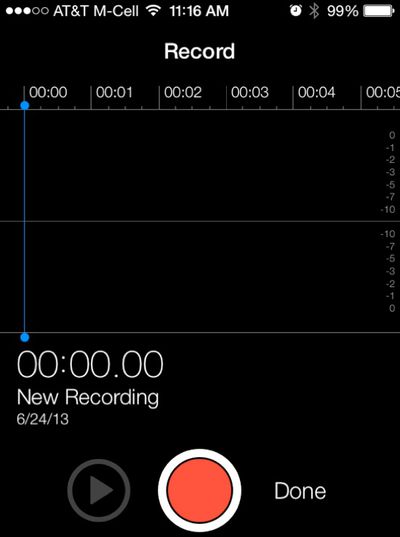
Apple seeded iOS 7 beta 2 to developers today, adding a number of new and improved features to the operating system including support for the iPad, improved Siri integration, and the missing Voice Memos app.
iOS 7 beta 2 also brings a slew of minor interface tweaks that make the second version of the beta feel far more polished. Here are some of the more significant changes that can be found in the update:
Welcome Screen: iOS 7 beta 2 introduced a new Welcome Screen that asks for an iCloud password, allows users to turn on iMessages and choose associated email addresses, and set up a passcode on the device.
Voice Memos: The Voice Memos app was missing from the first iOS 7 beta, but with beta 2, the app has returned and is now fully functional.
Find My iPhone: The Find My iPhone setting in iCloud now offers up new language that specifies that the app will help users "remotely locate, lock, erase, and prevent re-activation" of a lost iPhone.
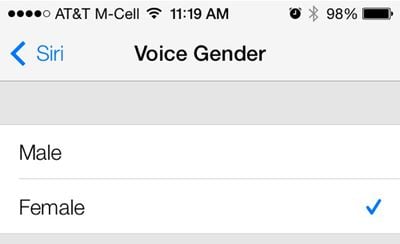
Siri: Siri requests seem to load much faster with the new iteration of iOS 7 and there are also male and female voice options available. These can be accessed in the General Settings under the Siri heading, which offers a new Voice Gender option. While male and female voices have been available in other languages, this is the first time English male/female voices can be activated.
Control Center: Parts of the Control Center have had a slight redesign, with a new clock icon. The icon, which was previously dark, is now a simple clock outline.
Notifications: Some iOS 7 users were having issues with double notifications, which users report has been fixed in beta 2. Apple's release notes, however, state that some apps "may receive duplicate push notifications or no notification at all."
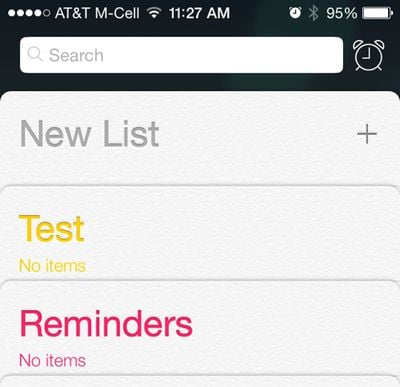
Reminders: Reminders has had a slight redesign with a new list layout that is more compact than the previous layout, and a new clock icon next to the search bar will allow users to locate scheduled reminders.
iCloud: iCloud Backups are now available once again. The first iOS 7 beta did not support automatic backups.
Spotlight: Searching via Spotlight is much quicker, with results being displayed almost instantaneously with far less of the lag that was present in the first beta.
Messages: The Messages "Send" button is bold and turns green or blue when text is typed. There's also a new bubble animation shown when messages are sent. Swiping to the left on a message will display time stamps. Group chats in Messages also display contact photos next to texts.
Music: The music app has seen a number of bug fixes to correct interface errors and other issues. Lock screen album art has also been repaired for the iPhone 4/4S.
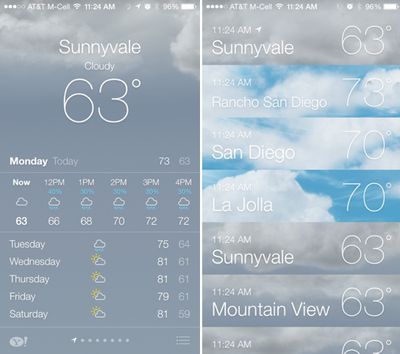
Weather: In the weather app, a new icon on the bottom right of the screen brings up a listing of the weather in all of the cities tracked in the app.
Multitasking: Swiping up to close out apps works much more smoothly on the iPhone 5 following the update to beta 2.
iPad Camera: As noted by 9to5Mac, iOS 7 adds an HDR option to the camera on the iPad.
Apple is likely to maintain a regular update schedule for iOS 7, bringing minor performance boosts and changes ahead of the operating system's public release, which is expected to come in the fall.



















































