 While the most obvious change in iOS 7 is the look and feel of the user interface, Apple's engineers have packed the update with numerous changes both big and small.
Here are a selection of changes noticed by folks in the MacRumors Forums and elsewhere.
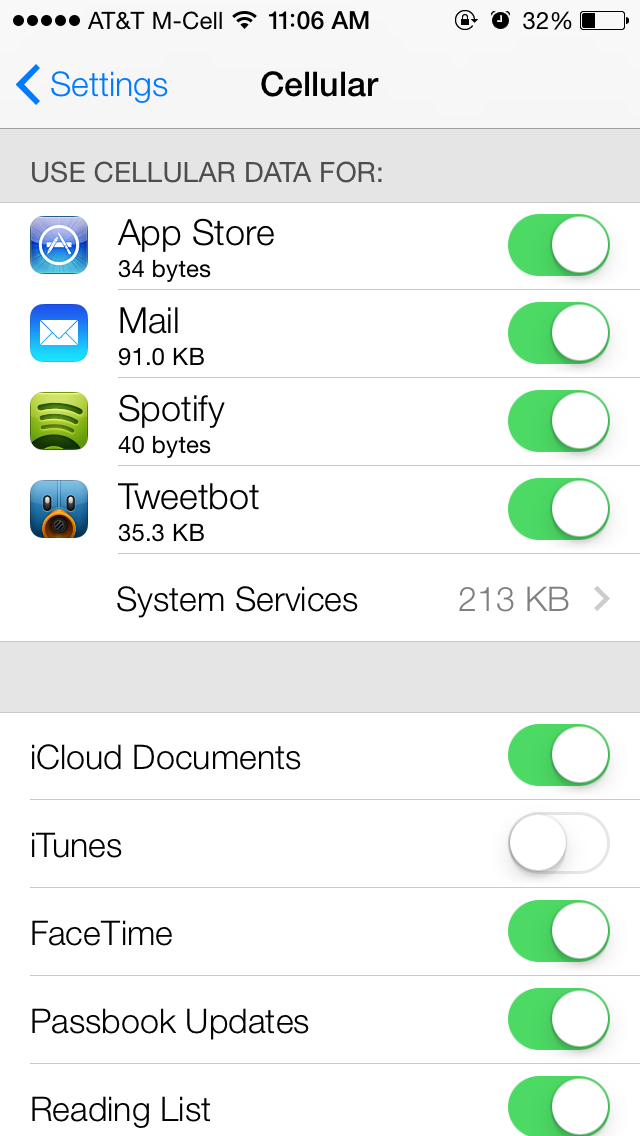
Cellular Data Tracking by App - In Settings / Cellular, users can track cellular data usage on a per-app basis. Apps can have their cellular data access disabled individually as well.
Update Apps Manually - The App Store now updates apps automatically, but for users who prefer to handle things themselves, automatic updates can be disabled via a slider in Settings / iTunes & App Stores.
How to Get to Spotlight - Spotlight is now accessible from the home screen by swiping down from the middle of the screen. Additionally, in Settings / General / Spotlight Search, users can manually turn search result categories on and off, as well as change the order results are presented in.
Live Clock Icon - The clock icon provides the correct time, including a live second hand. The weather app does not update -- it is always partly cloudy.
Newsstand Has Permanent Icon - Newsstand's icon remains the same regardless of what publications are inside it. The app itself works similarly, though the design is substantially different. Newsstand can now be put inside a folder as well.
App Permission for Microphone Access - Apps are now required to ask permission to access the microphone, similar to how apps currently ask to access location data or the camera.
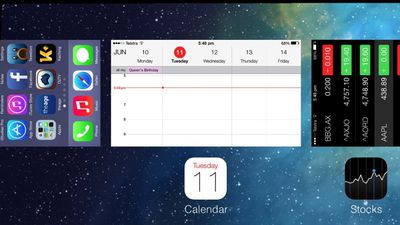
Multitasking Switcher Works in Landscape - The app switcher works in landscape mode. Double-tap the home button to access. Control Center can also be used in landscape. Apps can also be manually quit by swiping up, and multiple apps can be closed at the same time.
Skips in iTunes Radio - iTunes Radio listeners get 6 skips per station, regardless of if they are on the ad-supported or ad-free versions of the service. It is believed that the skips reset each hour.
Parallax Everywhere - As part of the new 'layers' user interface that Jony Ive has built, nearly everything in the interface subtly shifts to give the UI depth when the phone is moved -- wallpaper, pop-up alerts, notification bubbles and more.
Dynamic Wallpaper - Apple includes two 'dynamic' wallpaper images by default. These images have subtle animated bubble shapes floating around the background. We'll likely hear more about these going forward.
Panoramic Wallpaper - In addition to the dynamic wallpaper, users can also set panoramic images as wallpaper -- instead of the subtle parallax image shift shown in the keynote, tilting the phone pans around the image. The stuttering in the video below is due to capture method -- on the iPhone, it pans smoothly.
iPhone 4 is Responsive - One forum member who installed iOS 7 on the iPhone 4 said the device was as responsive as under iOS 6, though many of the UI graphics trickery is disabled.
'Mark All' in Mail.app - Users can now mark all messages as read in Mail.app.
Share Passes - Passbook passes can be shared via iMessage or email.
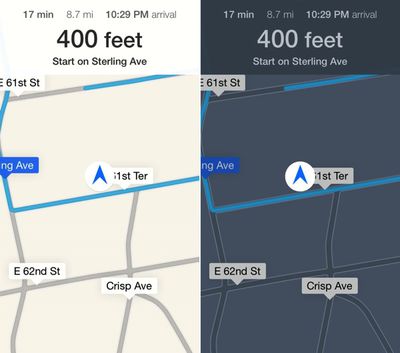
Navigation has Automatic Day/Night Mode - When viewing turn-by-turn directions, Maps automatically switches from day to night mode using both the current time and ambient light sensor to judge which is more appropriate.
Dynamic Font Size - Users can select a system-wide font size for apps that support 'Dynamic Type' in Settings / General / Text Size.
FaceTime Gets Own App - FaceTime has been spun out into its own app on the iPhone. Previously, it was built into the Phone app.
Reminder Alerts Have More Options - Pop-up alerts from the Reminders app now offer options to 'Remind me in 15 minutes', 'Mark as Completed', 'View Reminder', or to simply close the notification.
There are many more changes that will likely be discovered over the next few months as the iOS 7 beta continues, and there is a growing thread on the MacRumors Forums detailing them.