

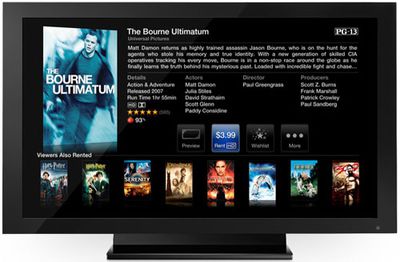
Despite a strikingly similar user interface between the old and new Apple TV, the new Apple TV represents completely re-engineered hardware and software. The focus on the new Apple TV is a streaming-only device as compared to the previous generation storage-syncing device. It appears this fundamental change has opened up a loophole in Apple's rental procedures.
Apple's stated rental policies for TV shows and Movies give you 30 days to start watching a rental, but once you begin watching a rental, you only have 24-48 hours before the rental expires. In order to enforce these rental policies, Apple had some restrictions on what could be done with rental content in between iTunes and the old Apple TV. Previously, Apple required that rentals be moved (not copied) from one location to another -- your iTunes copy was removed when you moved a rental to your first generation Apple TV. While that was feasible for the hard-drive sporting original Apple TV, the new Apple TV is a streaming only device.
So, the new Apple TV will happily stream rentals from your iTunes without any trouble, but it doesn't seem to recognize they are rentals at all. That means when you start streaming a rental from your computer, the 24/48 hour timer never gets triggered. It seems you will be able to watch these rentals as often as you like over the 30 day period.
We've successfully tested this procedure on latest iTunes (thanks to forum user TheBritishBloke), and it works (at least in the short term as the new Apple TV hasn't been out for 30 days):
- Rent a show/movie on your Mac's iTunes
- When you begin watching the rental on the Apple TV, no warnings appear indicating that you must finish watching the movie within 24/48 hours
- The iTunes rental counter should still show 29+ days remaining
- Note: if you do try to watch the movie through iTunes, it will kick off the 24/48 hour countdown
Update: iLounge claims that the timeout is silently triggered, meaning this will not work.















































