Mac Studio Review - MacRumorsOpen MenuShow RoundupsShow Forums menuVisit ForumsOpen Sidebar
Skip to Content

Mac Studio Reviews: Faster Than a $13,000 Mac Pro

by

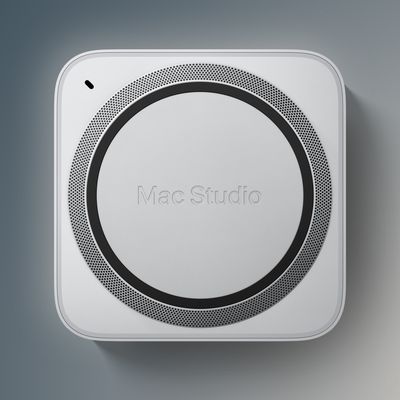
Apple's all-new Mac Studio desktop computer launches this Friday. Ahead of time, the first reviews and unboxing videos for the Mac Studio have surfaced, providing us with a closer look at the machine and its companion Studio Display.
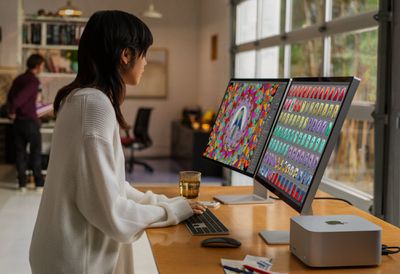
mac studio size reference

Performance

While the Mac Studio resembles a larger Mac mini, it is far more powerful. The computer can be configured with the same M1 Max chip available for the 14-inch and 16-inch MacBook Pro, or the new M1 Ultra chip, which features a 20-core CPU, up to a 64-core GPU, and a 32-core Neural Engine. With the M1 Ultra chip, the Mac Studio has faster performance than a 28-core Mac Pro tower released in December 2019.


Specifically, the Mac Studio has earned a multi-core score of around 23,500 to 24,000 in many Geekbench 5 results, compared to an average multi-core score of 19,956 for the Mac Pro with a 28-core Intel Xeon W processor. This is especially impressive given that the Mac Studio with the M1 Ultra chip starts at $3,999, while a Mac Pro tower configured with a 28-core processor is over three times more expensive at $12,999.

The Verge's Monica Chin:

My first stop was Becca Farsace, our video director who edited the entire video review of the Mac Studio and Studio Display (which you should go watch if you haven't already) on our Studio unit. I watched her work in Premiere and Media Encoder for hours, and even to my amateur eyes, it was clear that the Studio was flying. It was miles better than our two-year-old Mac Pro (which Becca uses for most of her work) at basically everything.

Becca was able to play 4K, 10-bit 4:2:2 footage from a Sony FX3 at full resolution in Adobe Premiere Pro at 4x speed with no proxies. It was lightning fast. On any other machine, she'd have had to be in half-resolution at most. There was also no lag between hitting the spacebar and stopping playback when playing footage at 2x or 4x speed, something she finds to be a big annoyance on the Mac Pro.

Connectivity

On the back of the Mac Studio, connectivity options include four Thunderbolt 4 ports, two USB-A ports, one HDMI port, one 10-Gigabit Ethernet port, and a 3.5mm headphone jack with support for high-impedance headphones. On the front, there is an SD card slot, along with two USB-C ports for M1 Max configurations or two Thunderbolt 4 ports for M1 Ultra configurations. The computer supports Wi-Fi 6 and Bluetooth 5.0.

Six Colors' Jason Snell:

But that may be the point: this is a computer designed to be used, not to be looked at as a piece of art. When you choose to stick ports on the front of a computer—hey everybody, Apple put ports on the front!!—you are choosing function over form. That's the story of the Mac Studio.

Apple hasn't skimped on the Mac Studio when it comes to what a certain portion of its customer base wants—connectivity. I used the SD card on the front of the Mac Studio twice on the very first day I had it connected. I also plugged a keyboard into that front USB port. (My test unit was an M1 Max model, so those front ports were USB-C; on models with the M1 Ultra chip, they’re full-fledged Thunderbolt 4.)

And then there's the full array of ports on the back: Four Thunderbolt 4, two USB-A, HDMI, a headphone jack, and 10Gb Ethernet. While I didn't fill up all of those ports, I did transfer an array of cables and adapters from the back of my iMac Pro to the Mac Studio and didn't have to dig out a single adapter or find a USB hub to accommodate them.

More Reviews

Videos


Watch on YouTube

Watch on YouTube

Watch on YouTube

Watch on YouTube

Watch on YouTube

Watch on YouTube

Watch on YouTube

Watch on YouTube

Related Roundup: Mac Studio
Buyer's Guide: Mac Studio (Buy Now)
Related Forum: Mac Studio

Top Rated Comments

DMG35 Avatar
60 months ago
Thank God iJustine got one. I don't know what I'd do if I didn't get to hear her fawning over the latest Apple product before everyone else.....
Score: 47 Votes (Like | Disagree)
macbeth1026 Avatar
60 months ago

Not true the m1 is enough to edit 4k video fast this ultra is over kill even Pixar can live with making movies before it
Lol. You can’t be serious. I feel like you have zero understanding of the industry. Pixar isn’t using MacBooks to make movies. They would use high-end workstations for production and utilize render farms to actually render their 3D frames. The M1 Ultra is beastly but doesn’t come close to the hardware involved in a real, high-end studio. I have a workstation rig with an i9 and an Nvidia 3090 and I still feel like it could be faster, especially for 3D.

Overkill is relative. I’d avoid sweeping language like that. The M1 Ultra isn’t enough for my line of work. However, it’s enough for a lot of people. And too much for some. It’s not as simple as you make it sound.
Score: 24 Votes (Like | Disagree)
60 months ago

Yup, faster than everything else. But, faster than anything you actually do or need. That is where we are at.
Again ???? If you are a video professional then can you ever have something that is faster than you actually need?

If the computer is lag-free then that means you actually need that speed and performance.

If you aren't a creative professional then stick to a lower spec Mac - that's the whole point of the Studio.
Score: 17 Votes (Like | Disagree)
TheYayAreaLiving 🎗️ Avatar
60 months ago

it would suck to be someone who spent $13,000 on a mac pro 😂 well i suppose if you have that much money you probably wouldn't care or maybe you just have more money than brains.

just pay another $400 to be able to adjust the height, duh.

it's Apple and incase you hadn't noticed they will cut the most basic **** out and ask you to pay stupid prices for it. a glorified matte display? that'll be $300. want to adjust the angle and height of your display? $400 please and thanks.
I mean, you know the Apple Wheels alone cost a whopping $699 before tax.


Attachment Image
Score: 16 Votes (Like | Disagree)
fishkorp Avatar
60 months ago

Not true the m1 is enough to edit 4k video fast this ultra is over kill even Pixar can live with making movies before it
Have you actually done anything like that? I’m guessing not. Otherwise you wouldn’t make a statement like that.

Rendering a 22 second clip in After Effects took over 4 hours on an M1 Ultra MBP with 32GB RAM. I wouldn’t even dare try it on the M1 MBA we have, it would cripple it. My guess is the Ultra cuts that time significantly. Even if it shaved 30 minutes off (probably more), do you know what 30 minutes is worth to people that do that for a living? The machine will potentially pay for itself in 2 weeks or less.
Score: 16 Votes (Like | Disagree)
HiVolt Avatar
60 months ago

Thank God iJustine got one. I don't know what I'd do if I didn't get to hear her fawning over the latest Apple product before everyone else.....
They're all the usual product launch shills... Nothing surprising there...
Score: 15 Votes (Like | Disagree)
Read All Comments

Popular Stories

Mac Studio Feature

Mac Studio With M5 Ultra Now Available With 512GB RAM for $22,299

Wednesday October 28, 2026 10:26 am PDT by
Starting today, the Mac Studio with the M5 Ultra chip can be configured with 512GB of RAM on Apple's online store, but it is an expensive upgrade. You first have to configure the Mac Studio with the M5 Ultra chip with a 36-core CPU and 80-core GPU, which starts at $6,799 in the U.S., and then you have to select the 512GB of RAM option for an additional $15,500. This pushes the minimum cost...
iPad mini 7 Review Thumb 1 sans text

Apple Raises iPad and Mac Trade-In Values

Monday October 26, 2026 8:17 am PDT by
Apple today updated its U.S. trade-in estimates, raising maximum values across the iPad lineup and for most Macs following today's announcement of the new iPad mini. Every iPad category has gained value, although the increases are relatively modest. The iPad mini and standard iPad both rise by $20, while the iPad Air gains $15 and the iPad Pro increases by $10. The revised maximum estimates...
muse spark open zuck

Meta and Apple Bring Muse Spark Open AI Model to Mac Studio

Thursday October 15, 2026 10:47 am PDT by
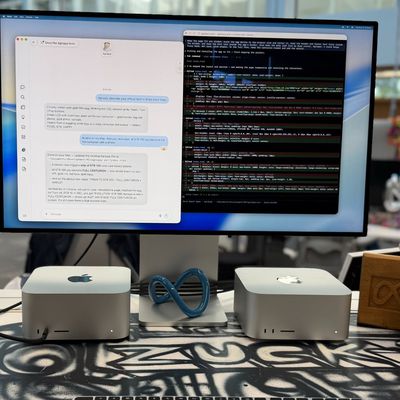
Meta today announced the release of Muse Spark Open, which it says is the "most capable U.S. open-weight model to date." Meta worked with Apple to bring Muse Spark Open to the Mac, and the model can run on a desktop setup with two 512GB Apple M5 Ultra Mac Studios running the latest MLX framework. Meta CEO Mark Zuckerberg thanked Apple CEO John Ternus for working with Meta. @finkd Congrats ...
Latest Stories
Nearly Every M5 MacBook Air Now $200 Off on Amazon
42 minutes ago
Apple's HomeView Ships With Six-Month-Old Software
3 hours ago
Three New iPads Rumored to Launch in First Half of 2027
3 hours ago
Apple Offers Steps to Fix Daylight Saving Time Bug on Apple Watch
7 hours ago
Apple Watch Ultra 4 Hits All-Time Low Price With Amazon's $99 Discount
1 day ago
Reminder: Apple's Big Discount on Beats 360 Ear Cushions Ends Today
1 day ago
Here's a New Tour of Apple's HomeView Software
1 day ago
Apple Reveals New iPad Mini's Battery Capacity
1 day ago
Top Stories: Apple's Big MacBook Pro, iPad mini and iMac Updates
1 day ago
'Pluribus' Season 2 Reportedly Starts Production Today
1 day ago
iPhone 18 Pro Sales Surge in China, Offsetting Decline in U.S. and Japan
1 day ago
HomeView Software 27.2: Wallpapers, Control Center, and More
2 days ago
Apple Alerts Stores to iPhone Duo's Display Cracking Issue
2 days ago
iOS 27.3 Will Enable These Apple Intelligence Features in China
2 days ago
Apple Says iOS 27.3 Beta Coming Next Week
2 days ago
Apple's Flash Storage Suppliers Are Finally 'Getting Their Revenge'
2 days ago
14 New Things Your iPhone Can Do in iOS 27.2
2 days ago
iPhone Duo Review: One Week Later
2 days ago
Samsung Mocks iPhone Duo Display Cracks in New Ad Campaign
2 days ago
The MacRumors Show: OLED MacBook Pro, iPad Mini 8, and More
2 days ago
MacBook Pro With Touch Display: 15 More Details Revealed
2 days ago
Russia Places Apple on State Surveillance Registry
2 days ago
Halloween Weekend Brings Discounts on Apple Accessories and Pre-Orders
2 days ago
Apple Has Released More Than 25 New Products in the Past Two Months
2 days ago
Local Code Launches as Free, Private AI Assistant Tool for Mac
2 days ago
Apple Acquires Ascend.io
2 days ago
HomePod Mini 2 Launches Today: All the New Features
2 days ago
AirTag 2 4-Pack Drops to New Low Price of $69.99
2 days ago
Rian Johnson's iPhone Camera App Goes Viral
2 days ago
Where Did All the iPhone Duos Go? Mostly to Apple's Stores
2 days ago

🔗 Related Apple News & Rumors

Stay updated with the latest Apple ecosystem news and verified rumors