

Mitsubishi isn't one of the biggest-selling car manufacturers in the U.S. these days, but the Japanese automaker has been rebounding substantially in recent years thanks in large part to its focus on the popular crossover segment, led by the Outlander.
The Mitsubishi Outlander has been offered in a plug-in hybrid (PHEV) variant for the last few years, and I've been testing out a brand-new 2019 model of the Outlander PHEV just as the first units are starting to roll out to dealers around the country.
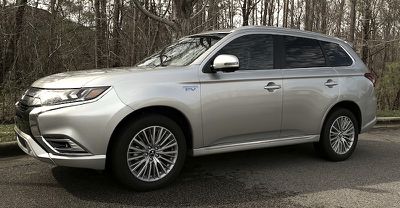
In the U.S. at least, changes from the 2018 model are primarily cosmetic aside from some tweaks to the suspension, noise and vibration reduction, and comfort. 2019 models in other countries are seeing some more substantial upgrades under the hood, but those have yet to make their way into the U.S. models.
The U.S. version of the 2019 Outlander PHEV offers a 2.0 L 4-cylinder gas engine paired with dual 60 kW electric motors and a 12 kWh Li-ion battery. Operating solely on electric power, the Outlander PHEV can drive up to 22 miles depending on conditions, while it gets 25 MPG in gasoline-only mode, for a combined rating of 74 MPGe. But with a relatively small 11.3-gallon gas tank to make room for the batteries, overall range is only a little over 300 miles.
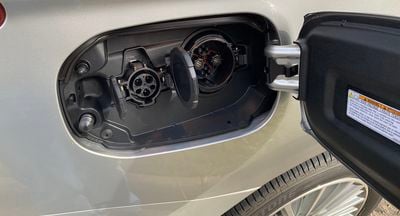
A 110–120 V Level 1 charging cable is included with the Outlander for charging from a standard electrical outlet, and it offers the ability to switch between 8 A and 12 A charging options. A full charge requires approximately 13 hours at 8 A or 8 hours at 12 A. For faster charging, you can use a 220–240 V Level 2 charging device, which takes about 3.5 hours for a full charge, or a CHAdeMO quick charger at a public charging station to deliver an 80 percent charge in about 25 minutes. The battery is also charged on the go through regenerative braking with steering mounted paddle shifters to adjust the regenerative braking force.
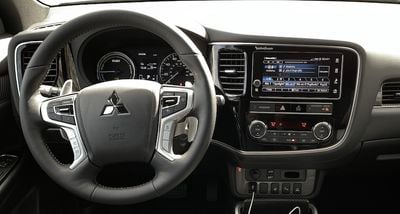
My test vehicle was the high-end GT S-AWC trim, which checks in at just over $42,500 before federal tax credits and includes a number of upgrades and option packages as part of the trim level. The lower-level SEL S-AWC trim starts around $35,000 before tax breaks.
Smartphone Link Display Audio
Mitsubishi offers a 7-inch touchscreen standard in the Outlander PHEV with an infotainment system it calls Smartphone Link Display Audio (SDA). CarPlay and Android Auto support are also standard on all PHEV trims, although SDA and CarPlay/Android are not available on the base ES trim of the regular Outlander.
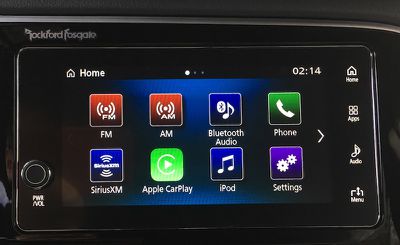
What's interesting about Mitsubishi's SDA system is that there is no embedded navigation available in U.S. models, with users instead needing to rely on CarPlay or Android Auto for their navigation needs. I spoke with Bryan Arnett, Mitsubishi's senior manager for accessory development and advanced technology, and he explained to me that the company made the decision to remove embedded navigation as an option in the United States as of 2016 models for several interrelated reasons.
One of the key aspects had to do with cost, as navigation packages frequently cost in excess of $1,000 on top of other options, so only a portion of users even purchased cars with built-in navigation. In addition, embedded navigation systems need to be regularly updated to ensure they have the latest maps and points of interest, and even when Mitsubishi offered map updates free of charge, users were slow to update.
Embedded navigation systems also can have difficulty competing with smartphone options that owners are already used to in terms of interface and the overall user experience, so Mitsubishi made the decision to go all-in on CarPlay and Android Auto to provide navigation using devices customers already have. Arnett told me that customer feedback on this move has been great, with users increasingly preferring their phones over embedded navigation.
That said, Mitsubishi is part of the Renault–Nissan–Mitsubishi Alliance, which late last year announced that it will be among a number of car manufacturers moving to adopt Google's Android OS to drive their future infotainment systems. The move will allow users to access built-in versions of Google Maps and other services, although CarPlay will continue to be supported. The Alliance is planning to start rolling out vehicles with Android OS-based systems in 2021.
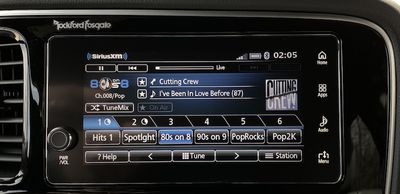
As for the current SDA system in the Outlander PHEV, the 7-inch display is framed by a small power/volume knob at the lower left corner and a vertical strip of fixed touch icons along the right side. These icons include a Home button to take you back to the SDA home screen from wherever you are, including in CarPlay or Android Auto, as well as an Apps button that offers a persistent, one-touch option to take you into CarPlay or Android Auto.
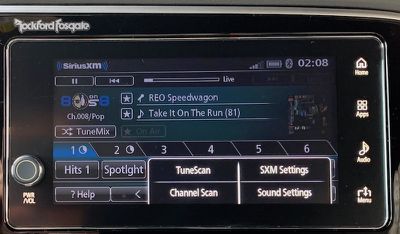
There's also an Audio button to take you directly to the SDA audio functions and cycle through the various audio sources (including CarPlay's Music app), and a Menu button that pops up a panel at the lower right where you can access settings and other options depending on which SDA screen you're on.
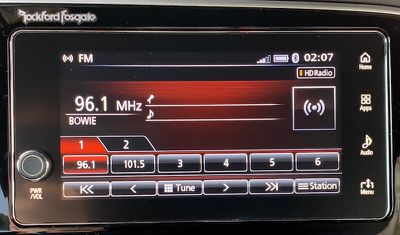
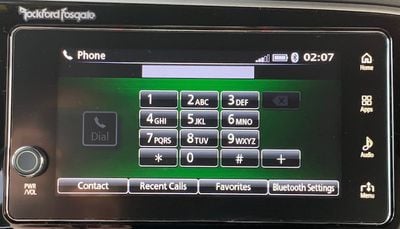
In general, Mitsubishi has worked to ensure that the SDA system is intuitive by limiting submenus and making sure everything you need should be no more than two taps away. That's certainly the case with most functions, but I feel like there are some areas where the interface could use some improvements.
In particular, the SDA system could use a visual overhaul with modernization of icon and button designs, and some functions such as the SiriusXM screen feel quite cluttered. I recognize that SiriusXM offers a lot of features and I appreciate Mitsubishi's effort to make them all accessible, but I feel like there could definitely be some streamlining.
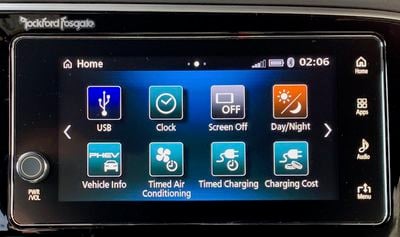
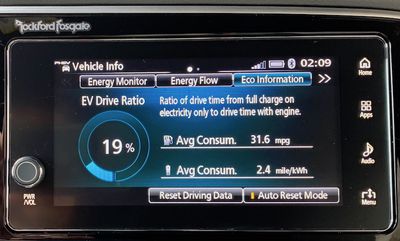
As a plug-in hybrid, the Outlander PHEV has a good bit more going on technology-wise than most other cars, and so the SDA system has been augmented to handle that. There are a number of home screen icons for PHEV-specific functions such as vehicle info on charging state and power flow, timed air conditioning and charging settings, and more.
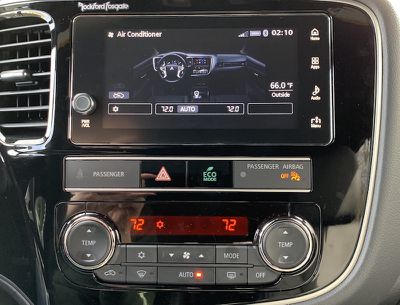
Climate controls are handled strictly through separate hardware controls located below the infotainment system, although you do get a brief climate setting overlay on the screen when you make an adjustment. There's also an Air Conditioning icon on the SDA home screen that displays the current climate control settings, but you can't make any adjustments through the touchscreen.
CarPlay
CarPlay uses a wired connection in the Outlander PHEV, which is unsurprising given how slow wireless CarPlay has been to take off. There's a single USB-A port near the bottom of the center stack, which comes with a rubberized plug cover that feels a little unnecessary and just seems to get in the way if you plan to be plugging and unplugging a USB cable frequently.
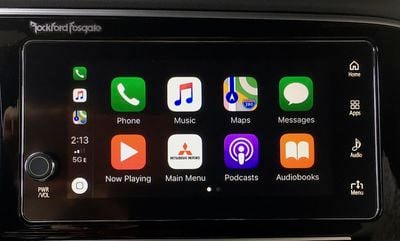
CarPlay behaves as you'd expect on the 7-inch screen, which is about middle of the road in terms of screen sizes. Some views such as in maps feel a little on the small and cluttered side if you're used to an 8-inch screen, but it's completely usable. CarPlay is operated strictly by the touchscreen, with no additional touch pad or control knob on the center console, and that's fine with me.
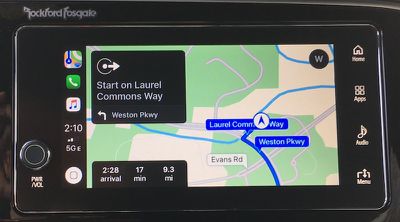
The dedicated Home and Apps buttons make it easy to jump in and out of CarPlay, although I'd prefer it if they were located on the left side of the screen for a little bit easier reach.
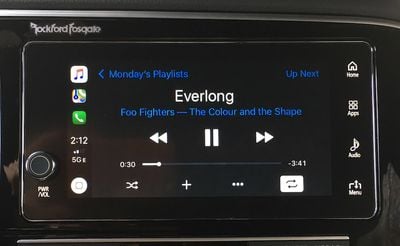
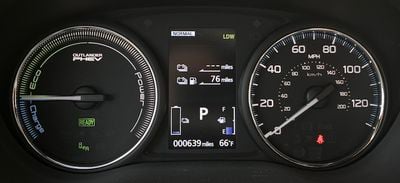
The Outlander PHEV does come with a digital driver's display centered behind the steering wheel that can offer information such as range, MPG, trip odometers, energy flow, and more, but unfortunately there's no option to display audio information, a feature I typically like to use when the main infotainment screen is taken over by other functions such as CarPlay navigation.
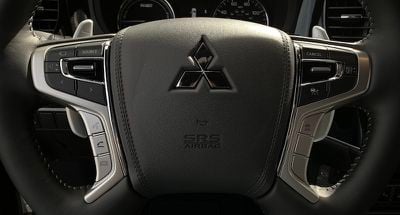
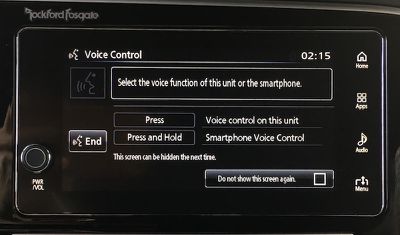
As with most other cars, the voice control button on the steering wheel serves dual duty, with a short press bring up the SDA voice assistant and a long press bringing up Siri.
The first time you hit the voice control button, a screen pops up letting you know how that works, and you can tap a checkbox to permanently prevent the introduction screen from showing up in the future.
Ports and Connectivity
As I mentioned in the previous section, there's a single USB-A near the base of the center stack, where you can connect a phone for CarPlay or Android Auto, or other devices like iPods for audio purposes.
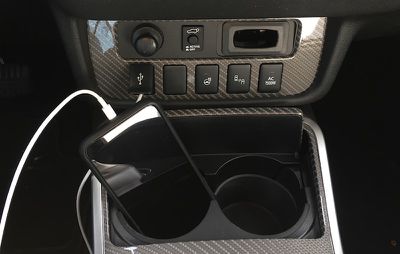
A pair of cupholders are located very close to the USB port and serve as decent places to store a connected phone, but there's no dedicated phone storage tray. I do feel like Mitsubishi could have made room for a tray, as there is a fair amount of empty space on the center console even with some extra buttons and switches for managing the hybrid functions of the vehicle.
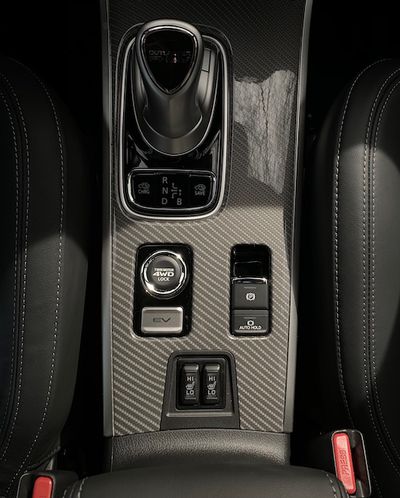
There's no USB port inside the center console compartment, which would have been another nice option to have for those who like to keep their phones hidden away while driving. You can certainly still store your phone in the compartment, but you'll have a USB cable running out from under the lid all the way up to the dash.
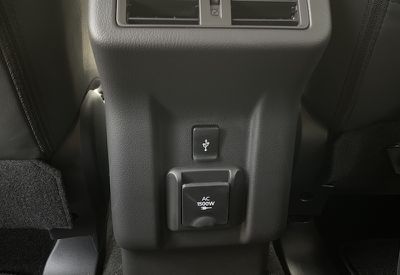
On the rear of the center console, you'll find a second USB-A port for rear passengers. It's a fully functional USB data port, so it can be used not only for device charging but also for CarPlay or a media source.
Mitsubishi does not offer any wireless phone charging or Wi-Fi hotspot option on the Outlander PHEV.
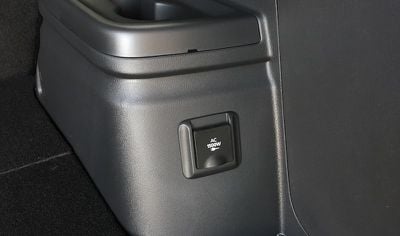
One thing that is available on the Outlander PHEV GT trim is a 1500-watt AC power system with one outlet on the rear of the center console and a second in the cargo area. When active, you can power all sorts of electrical devices using the system, which can be handy for camping, extended trips into remote areas, or even for household items during power outages. There's also a single 12V DC power port up front on the dashboard.
Wrap-up
Overall, I was impressed with the CarPlay integration on Mitsubishi's latest SDA infotainment system, which the company tells me has been included on over 400,000 vehicles worldwide and over 100,000 in the United States. Interactions with CarPlay are fluid, and dedicated touch buttons for hopping in and out of CarPlay make for a smoothly integrated experience.
As for SDA itself, it certainly offers a lot of capabilities, especially on the Outlander PHEV with all of its hybrid technology. I thought I'd miss an option for embedded navigation, but it's starting to make a lot of sense for companies to forego built-in navigation in favor of owners' own smartphones that can offer a better user experience.
But while Mitsubishi has emphasized a streamlined menu hierarchy to limit the number of taps needed to access any option or setting, the visual design of the system could stand to see some improvement. It looks dated, and some screens end up looking quite cluttered. The home screens are easy-to-use grids with colorful icons to help you pick out what you're looking for at a quick glance, but again, the user interface element designs are looking rather dated and could really use some freshening up.
I'm optimistic about Mitsubishi and other manufacturers moving toward Android OS in the next few years, as built-in Google Maps (and hopefully Waze) will be great additions to these systems. Cloud-based navigation systems do sometimes falter compared to embedded systems in areas of poor cellular coverage, but Mitsubishi tells me it's working on addressing that through caching and other means as it moves toward bringing built-in navigation back with Android OS.
The base gas-powered Outlander ES trim starts at a little under $25,000, but you'll need to step up to the SE trim for an additional $1,000 in order to get the SDA system with CarPlay. If you're interested in the PHEV version of the Outlander, that starts around $35,000 for the SEL S-AWC trim with SDA and CarPlay standard.
Stepping up to the higher-level GT S-AWC trim can push pricing up to around $42,000, with even more options and packages available on top of that. Keep in mind that the Outlander PHEV will qualify for federal electric vehicle tax credits of $5,836, so that'll go a long way toward making the PHEV version more price competitive compared to traditional gas models if you'd like to go that route.
















































Top Rated Comments
You got me with the Discover Card and the Fanta orange today. Own an older Mercedes, a Vizio TV and an iPhone though.
It's a decent family hauler with room for the occasional cargo load. It's the only all-wheel drive PHEV, we live in a hilly region with significant winter weather.
We work from home and so we only need one car but all electric isn't practical because we're in the exurbs with little public charging and where there is, it's always full. We're also unwilling to wait hours for a charger on I95 just to visit family. Not to mention, I don't trust vehicles that do over the air software updates.
Comfort/handling wise, it's slightly less than our Outback Touring but far better than the Prius V5 we had before that. The heated steering wheel alone has made my winter.
We're averaging ~80/60mpge (normal vs <32° weather) on the gas we do buy and only filling up ~once a month now. It was also an easy choice as we were installing solar at the time and so we're essentially charging for pennies to do the vast majority of our errands and drop-offs.
Lastly, who knocks Starz? Have you seen Counterpart or American Gods?