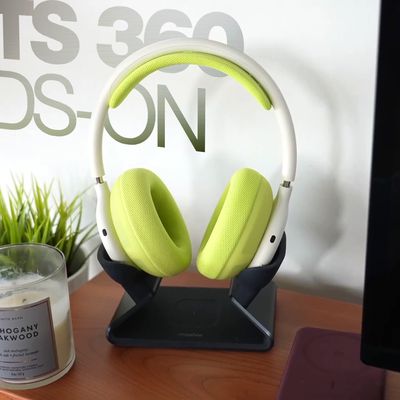
Spatial audio is a sonic feature of Beats Fit Pro that adds surround sound to Apple's audio wearables. By utilizing dynamic head tracking, it brings a theater-like audio experience to the movie or video you're watching, so that it seems as if the sound is coming from all around you.
Spatial audio uses the gyroscope and accelerometer in your Beats Fit Pro and iOS device to track the motion of your head and the position of your iPhone/iPad, compares the motion data, and then maps the sound field to what's happening on the screen even as you move your head or your device.
What You Need
To take advantage of spatial audio on Beats Fit Pro earphones, you'll need an iPhone 7 or later or one of the iPad models listed below.
- iPad Pro 12.9‑inch (3rd generation) and later
- iPad Pro 11‑inch
- iPad Air (3rd generation)
- iPad (6th generation) and later
- iPad mini (5th generation) and later
You'll also need iOS 15 or iPadOS 15 or later installed on your device.

How to Turn on Spatial Audio
- Make sure the Beats Fit Pro are connected to your iOS device.
- Launch the Settings app on your iPhone or iPad.
- Find your Beats Fit Pro in the list (Tim's Beats Fit Pro, for example).
- Tap the info (i) button next to your Beats Fit Pro.
- Toggle the switch next to Spatial Audio to the green ON position.
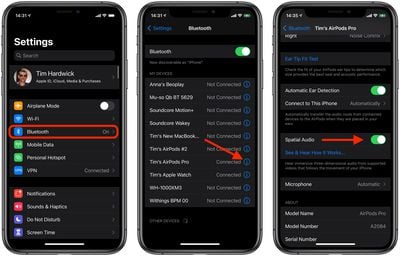
You can listen to a demonstration of spatial audio by tapping See & Hear How It Works. You can then switch from stereo audio to spatial audio to hear the difference between them.
How to Turn Off Spatial Audio
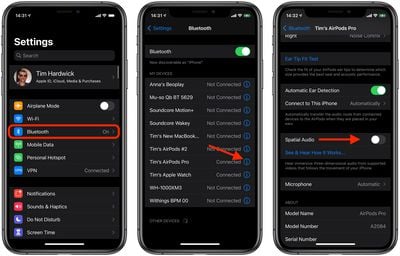
- Make sure the Beats Fit Pro are connected to your iOS device.
- Launch the Settings app on your iPhone or iPad.
- Find your Beats Fit Pro in the list (Tim's Beats Fit Pro, for example).
- Tap the info (i) button next to your Beats Fit Pro.
- Toggle the switch next to Spatial Audio to the grey OFF position.
How to Turn Spatial Audio On and Off in Control Center
- Make sure the Beats Fit Pro are connected to your iOS device.
- Launch the Control Center: On an iPad with a Home button, double-tap the Home button; on iPhone 8 or earlier, swipe up from the bottom of the screen; and on a 2018 iPad Pro, 2020 iPad Air, or iPhone X and later, swipe down from the upper right of the screen.
- Touch and hold the volume control bar.
- Tap the Spatial Audio button to turn it on or off.
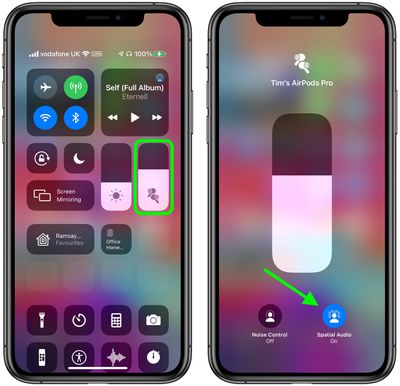
If spatial audio is enabled and active, the spatial audio button will be blue and animated with audio waves around the listener's head. If spatial audio is enabled but not active for the audio content that you're listening to, the spatial audio button will be blue but static.