Once you pair your AirPods or AirPods 2 to an iPhone, iPad, Mac, Apple Watch or Apple TV, the wireless earphones will attempt to connect to that device again the next time you use them.
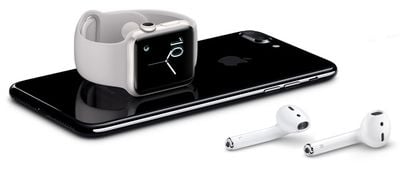
Some Bluetooth headphones are capable of switching automatically between multiple paired devices depending on which one is playing audio. However, AirPods will only perform this function between your iPhone and Apple Watch. In all other cases, AirPods will simply attempt to link up to the last-connected device.
If you want your AirPods to connect to another Apple device they've paired up with in the past, you have to do it manually. Keep reading to learn how.
Before you begin, make sure you've paired your AirPods to at least one of the devices you want to switch between. AirPods sync pairing information through your iCloud account, enabling them to be connected to your other Apple devices without the need for any additional pairing.
If you aren't already wearing your AirPods, make sure to at least flip the lid open on the charging case before continuing.
How to Switch AirPods Output to an iOS Device
To connect your AirPods to an iOS device, launch the Control Center: On iPad, swipe down from the right corner of the screen; on iPhone 8 or earlier, swipe up from the bottom of the screen; or on iPhone X or later, swipe down from the upper right "ear".
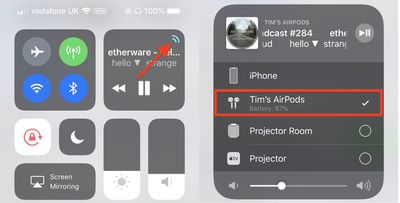
Next, tap the small AirPlay icon in the upper right corner of the playback controls panel, and in the next screen, select your AirPods from the devices list.
How to Switch AirPods Output to a Mac
To connect your AirPods to your Mac, click the Volume icon or the Bluetooth icon in your Mac's menu bar, select your AirPods in the dropdown list, and click Connect.
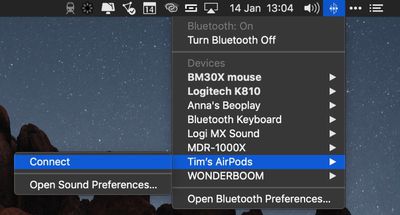
Note: If you don't see the volume or Bluetooth icon in your Mac's menu bar, launch System Preferences and click the Sound or Bluetooth pane, then tick the checkbox next to Show volume in menu bar or Show Bluetooth in menu bar.
How to Switch AirPods Output to Apple TV
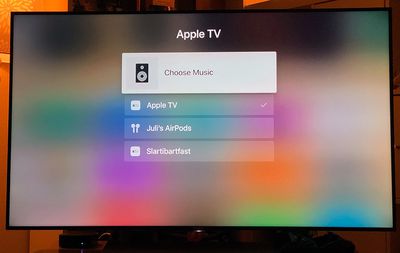
To connect your AirPods to Apple TV, navigate to the Apple TV Home screen, hold the Play/Pause button on your Apple TV Remote, and then select your AirPods from the panel list that appears.
How to Switch AirPods Output to Apple Watch
As mentioned above, AirPods connected to your iPhone will automatically switch to your Apple Watch if you play audio directly from the smartwatch. However, you can also manually connect to Apple Watch at any time using the following method.
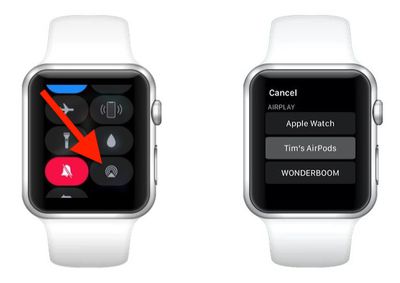
- On your Apple Watch, swipe up from the bottom of the screen to bring up the Control Center. (If you're in an app, touch and hold the bottom edge of the screen, then drag up the Control Center pane with your finger.)

- Tap the AirPlay icon (the small triangle with concentric circles on top).
- Select your AirPods from the list of devices.