Apple Shares 5 Helpful AirPods Tips and Tricks - MacRumorsOpen MenuShow RoundupsShow Forums menuVisit ForumsOpen Sidebar
Skip to Content

Apple Shares 5 Helpful AirPods Tips and Tricks

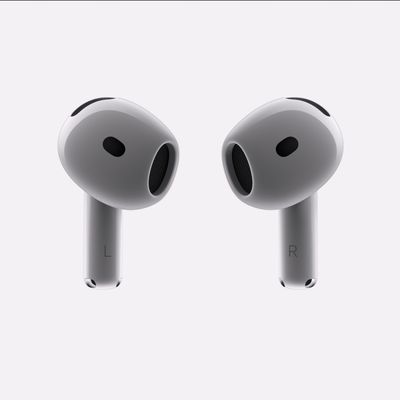
A recent video uploaded to the Apple Support channel on YouTube offers five helpful tips and tricks for AirPods that you may not have known about.


AirPods features highlighted in the video include Audio Sharing, Live Listen, Background Sounds, Announce Notifications with Siri, and the ability to rename AirPods in the Settings app on the iPhone. Most of these functions are available on all AirPods models, but Announce Notifications with Siri does not work with first-generation AirPods.

If you own AirPods Pro, also check out our guide covering the latest features added with iOS 17, such as Conversation Awareness and Personalized Volume.

Waiting for new AirPods? Find out when to expect the AirPods 4 and new AirPods Max.

Related Forum: AirPods

Popular Stories

iOS 27 Beta Hints at New Apple Product Such as AirPods Ultra Feature

iOS 27 Beta Hints at New Apple Product Such as 'AirPods Ultra'

Friday July 3, 2026 8:44 am PDT by
The second iOS 27 developer beta seemingly hints at a new Apple product, according to code uncovered by app designer and developer Sam Henri Gold. The code mentions a product codenamed B790 that can relay "two images from cameras on either side of [a] user's head." Gold speculated that the code could be referring to Apple's rumored smart glasses, but a more likely possibility is AirPods with ...

AirPods Pro Beta Firmware 2

Apple Releases New AirPods Beta Firmware With iOS 27 Features

Tuesday July 7, 2026 11:19 am PDT by
Apple today released a third version of the beta firmware it is testing for the AirPods Pro 2, AirPods Pro 3, AirPods 4, and AirPods Max 2. The firmware is limited to developers at the current time, and it has a build number of 9A5314b. In iOS 27, iPadOS 27, and macOS Golden Gate, Apple is adding a new AirPods interface, a slider for Adaptive mode, and support for custom EQ, so the firmware...



AirPods Pro Second Generation 2 Pairing Feature 1

Apple Plans AirPods-Like Pairing for Meta's Glasses and Quest

Monday July 13, 2026 6:45 am PDT by
Apple is developing a new API that will let third-party accessories, including Meta's Ray-Ban Meta glasses and Quest headsets, automatically pair across a user's Apple devices the same way AirPods and the Apple Watch do today, according to Apple's EU Interoperability Request page. The plan responds to a request Meta filed in October 2025 under the EU's Digital Markets Act, asking Apple to...

Top Rated Comments

30 months ago
My favorite trick: In the accessibility section you can input an audiogram a few different ways and it will adjust the EQ to compensate for any hearing loss. It makes a big difference for me.
Score: 13 Votes (Like | Disagree)
Criss P. Avatar
30 months ago
Unfortunately none is to prevent AirPod Max from dying... I've had mine for 3 years, the ONLY use it at night to watch content on my iPad while on bed, yet, one day they decided stop from connecting to any my devices (iphones, ipads, appletv), did EVERY SINGLE troubleshooting i could find, nothing worked. They simply...died.
Score: 12 Votes (Like | Disagree)
miamialley Avatar
30 months ago

I wish when I put my AirPods in to make a call, music would not play. Most of the time I use them for calls.
Hmm. I don’t have the audio automatically play when I put them in my ears. The associated audio app pops up on my lock screen, but nothing plays.
Score: 8 Votes (Like | Disagree)
30 months ago
My first suggestion would be to turn off spatial audio unless you want your music to sound like you've had 3 Jägerbombs back to back.

Also the Equalizer app is awesome if you want to draw more bass out of your Airpods since the preset EQ in settings are lame. Only works for non DRM music on your phone.
Score: 7 Votes (Like | Disagree)
JohnRckr Avatar
30 months ago
Apple should share with us new Airpods Max, asking 600$ for years old mediocre product is funny.
Score: 4 Votes (Like | Disagree)
30 months ago

I wish when I put my AirPods in to make a call, music would not play. Most of the time I use them for calls.
Turn off auto ear detection to fix that.

[LIST=1]
* Make sure your AirPods are paired with an iPhone or iPad.
* Go into Settings > Bluetooth.
* Find your AirPods and tap the (i) next to it.
* Turn off Automatic Ear Detection.
Score: 3 Votes (Like | Disagree)

🔗 Related Apple News & Rumors

Stay updated with the latest Apple ecosystem news and verified rumors