

Apple Responds to Report About Thieves Permanently Locking Out iPhone Users - MacRumorsOpen MenuShow RoundupsShow Forums menuVisit ForumsOpen Sidebar
Skip to Content

Apple Responds to Report About Thieves Permanently Locking Out iPhone Users

The Wall Street Journal's Nicole Nguyen and Joanna Stern today published a report highlighting how thieves can use Apple's optional recovery key security option to permanently lock out iPhone users from their Apple ID account.
iphone passcode green
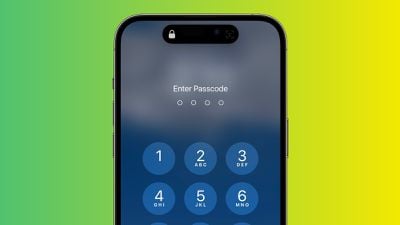
As the journalists first revealed in February, there have been increasing instances of thieves spying on an iPhone user's passcode in public and then stealing the device in order to gain widespread access to the device and its contents, including financial apps. All of the victims interviewed in the initial report said their iPhones were stolen while they were out socializing at bars and other public places at night.

With knowledge of the iPhone's passcode, a thief can easily reset the victim's Apple ID password in the Settings app, even if Face ID or Touch ID is enabled. Subsequently, the thief can turn off Find My iPhone on the device, preventing the owner of the device from tracking its location or remotely erasing the device via iCloud.

Today's report places more focus on an additional step that thieves can take: using the stolen device to set or reset a recovery key, a randomly generated 28-character code that is required to regain access to an Apple ID once enabled.


"Apple's policy gives users virtually no way back into their accounts without that recovery key," the report states. With unmitigated access to a stolen iPhone, the device's passcode, and the Apple ID password, thieves can steal money via Apple Pay and potentially other banking apps, view sensitive information like photos and emails, and more.

Apple's website does warn that losing access to both your trusted devices and recovery key means that "you could be locked out of your account permanently." In this scenario, however, thieves spying on iPhone passcodes before stealing the devices means that victims only need to lose their device in order to potentially be permanently locked out. The report serves as a valuable reminder to protect your iPhone's passcode in public.

For more details, read our previous coverage.

Apple Responds

In a statement shared in response to the report, Apple said it is "always investigating additional protections against emerging threats like this one."

"We sympathize with people who have had this experience and we take all attacks on our users very seriously, no matter how rare," an Apple spokesperson told The Wall Street Journal. "We work tirelessly every day to protect our users' accounts and data, and are always investigating additional protections against emerging threats like this one."

How to Stay Protected

iPhone users should use Face ID or Touch ID as much as possible when in public to prevent thieves from spying on their passcode. In situations where entering the passcode is necessary, users can hold their hands over their screen to hide passcode entry.

The report also recommends that users switch from a four-digit passcode to an alphanumeric passcode, which would be more difficult for thieves to spy on. This can be done in the Settings app under Face ID & Passcode → Change Passcode.

To protect a bank account, consider storing the password in a password manager that does not involve the device's passcode, such as 1Password.

Users can enable Screen Time parental controls to further lock down their device, the report adds.


Popular Stories

HomePod mini and Apple TV Sage

New Apple TV and HomePod Mini Are 'Nearly Ready' to Launch, New Siri Remote Also Rumored

Sunday May 31, 2026 8:47 am PDT by
New models of the Apple TV 4K and HomePod mini are "nearly ready to go," according to the latest word from Bloomberg's Mark Gurman. Subscribe to the MacRumors YouTube channel for more videos. Both devices have been ready "for months," but Apple is holding off on launching them until the more personalized version of Siri is available, he said. "I am told the hardware for the next Apple TV...
Apple Foldable Thumb

First 'Confirmed' iPhone Ultra Color Allegedly Revealed in Leaked Image

Monday June 1, 2026 4:39 am PDT by
Apple is expected to launch its first foldable iPhone later this year. Rumors suggest the "iPhone Ultra" will come in two color options, and a leaker shared an image today that allegedly shows one of them. Posted on Weibo by the Chinese leaker known as Ice Universe, the image purportedly offers a first glimpse of Apple's foldable in white. The device is believed to have entered early mass...
Meta Ray Ban Glasses

Apple Glasses Reportedly Launching in 'Late 2027' With These Features

Sunday May 31, 2026 9:21 am PDT by
Apple is now aiming to release its first smart glasses in "late 2027," according to the latest word from Bloomberg's Mark Gurman. Meta Ray-Bans He previously said that Apple planned to begin shipping the glasses by early 2027, but he said the product has faced development delays. The glasses will feature "oval-shaped cameras, unique colors, and multiple frame styles," according to Gurman....

Top Rated Comments

cgs1xx Avatar
41 months ago
So, Apple’s response was “aahh… sympathies” ?
Score: 28 Votes (Like | Disagree)
41 months ago
So we're gonna have our 989 post conversation all over again? https://forums.macrumors.com/threads/apple-responds-to-report-about-thieves-spying-on-iphone-passcodes-to-steal-your-entire-digital-life.2381922/page-40

The point is the passcode to unlock an iPhone can also be used to access or recover anything that asks for your Apple ID password...if you forget or pretend to forget your Apple ID password. Try it. It's all covered in the other conversation thread.

The screentime passcode can be circumvented easily. https://forums.macrumors.com/threads/apple-responds-to-report-about-thieves-spying-on-iphone-passcodes-to-steal-your-entire-digital-life.2381922/page-38?post=32028392#post-32028392
Score: 27 Votes (Like | Disagree)
brandoman Avatar
41 months ago
All one has to do is turn on Screen Time > Content & Privacy Restrictions > Passcode Changes > Don't Allow. Be sure to use a different passcode for Screen Time.

Oh, and Account Changes (Don't Allow). Thanks for that tip @ypl.

Score: 24 Votes (Like | Disagree)
RamGuy Avatar
41 months ago
Is this even the case anymore? When I try to disable Find My, I'm prompted for my Apple ID password, not my passcode. Same if I try to log out of iCloud, this requires me to disable Find My as a part of the process prompting me t verify with my password, not my passcode.

All of this is common sense. You can't expect a 4-digit passcode to be all that secure. If you feel paranoid, use an alphanumeric passcode, aka password, instead.
Score: 21 Votes (Like | Disagree)
41 months ago
Essentially, be responsible for the device you own. It's not our issue.
Score: 20 Votes (Like | Disagree)
zorinlynx Avatar
41 months ago
This would be less of an issue if iOS didn't randomly fail to FaceID and ask for a passcode, often at the least convenient time.

I wish Apple would get this resolved.
Score: 19 Votes (Like | Disagree)

🔗 Related Apple News & Rumors

Stay updated with the latest Apple ecosystem news and verified rumors














