

Apple Clarifies Power-Saving Modes of AirPods Max When Not in Use - MacRumorsOpen MenuShow RoundupsShow Forums menuVisit ForumsOpen Sidebar
Skip to Content

Apple Clarifies Power-Saving Modes of AirPods Max When Not in Use

When Apple unveiled AirPods Max last week, it revealed that they don't come with an on/off power button, but instead enter an "ultralow" power mode when inserted into the included Smart Case. That left a lot of questions about what happens to battery life when they're left out of the Smart Case and not being actively used. However, today Apple has provided some somewhat surprising answers to those questions, suggesting that the Smart Case isn't as essential to preserving battery life as many first thought.
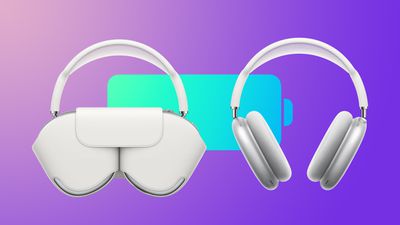
AirPods Max Smart Case Battery Life Feature2
According to Apple, when AirPods Max are taken off but not put in their Smart Case, they enter a "low power mode" after five minutes of being left stationary. If left untouched, they remain in this low power mode for three days, after which the headphones enter an "ultralow" power state that disables Bluetooth and their Find My location to help further retain their remaining charge. From Apple's AirPods Max support document, updated overnight:

If you set your AirPods Max down and leave them stationary for 5 minutes, they go into a low power mode to preserve battery charge. After 72 stationary hours out of the Smart Case, your AirPods Max go into a lower power mode that turns off Bluetooth and Find My to preserve battery charge further.

Apple has also clarified how AirPods Max behave when placed in their Smart Case, and it turns out that the same two distinct low power states are involved, but enabled at different times. The first "low power mode" is immediately activated upon insertion, but the "ultralow" power mode doesn't actually kick in until after 18 hours in the Smart Case.

If you put your AirPods Max in the Smart Case when you're not using them, they go into a low power mode immediately to preserve battery charge. After 18 hours in the Smart Case, your AirPods Max go into an ultralow power mode that turns off Bluetooth and Find My and maximizes battery life.

Based on this description of AirPods Max power-saving modes, it would appear that the headphones enter the same "low power mode" when put down and left alone for five minutes as they do when placed in the Smart Case. However, the same "ultralow" power mode that activates after AirPods Max have been left for 18 hours in the Smart Case takes a full 72 hours to kick in when they are left out of the case.

Before Apple provided the above information, tests conducted by MacRumors suggested that AirPods Max battery drains only slightly faster when left outside of the case – a difference that is likely down to the longer time it takes for the "ultralow" power mode to activate when the headphones aren't in the Smart Case.

Putting aside the seeming arbitrariness of these sleep mode activation times, the main takeaway is that in the short term at least, there's no real power-saving advantage to be had from putting AirPods Max in the Smart Case instead of just setting them down on a desk and not touching them. But if you don't plan to use them again for the next 18 hours, then that's when to put them into the Smart Case, otherwise the "ultralow" power mode will take three days to activate, by which time the battery drain is likely to be a lot more significant.

Given the confusion that has followed the power-saving features of AirPods Max, some users have speculated that Apple might be able to add a power-off functionality to the physical controls via a future software update. Is that something you would prefer over the current situation? Let us know in the comments.


Related Roundup: AirPods Max 2
Buyer's Guide: AirPods Max (Buy Now)
Related Forum: AirPods

Popular Stories

airpods max condensation

AirPods Max Condensation Lawsuit Largely Dismissed by NY Judge

Tuesday July 7, 2026 6:14 am PDT by
A federal judge has thrown out most of the claims in a proposed class action accusing Apple's AirPods Max of a condensation defect, ruling that the $549 headphones do what they were built for even if they fall short of a buyer's expectations (via Law360). Filed in April 2025 by two plaintiffs, the suit alleges that condensation builds up inside the AirPods Max ear cups during normal indoor...
AirPods Pro Beta Firmware 2

Apple Releases New AirPods Beta Firmware With iOS 27 Features

Tuesday July 7, 2026 11:19 am PDT by
Apple today released a third version of the beta firmware it is testing for the AirPods Pro 2, AirPods Pro 3, AirPods 4, and AirPods Max 2. The firmware is limited to developers at the current time, and it has a build number of 9A5314b. In iOS 27, iPadOS 27, and macOS Golden Gate, Apple is adding a new AirPods interface, a slider for Adaptive mode, and support for custom EQ, so the firmware...
airpods max 2 purple

Apple's New Headphones Will Blend Beats With AirPods Max

Thursday July 23, 2026 9:23 am PDT by
Apple is preparing to release a new pair of over-ear Beats headphones that will have a similar design as the AirPods Max, according to teaser images. Spanish soccer star Lamine Yamal was spotted wearing unreleased Beats in a series of photos he shared on Instagram a few months ago. The over-ear headphones have a unique design with some similarities to AirPods Max, including telescoping...


Top Rated Comments

Kebabselector Avatar
73 months ago
Again Apple's reluctance to include a simple feature means you need to go through a ridiculous storage procedure to maintain battery life. Why not allow a press of the crown for a few seconds to power down the device instead.
Score: 38 Votes (Like | Disagree)
73 months ago
This is really good to know. I wish Apple would just be upfront about this stuff from the get go instead of waiting until people complain enough they feel they have to explain how their devices actually work. We are paying a premium for these headphones and it would be REALLY nice to know that we don't have to use your ridiculous case and not lose a ton of battery because of it.
Score: 33 Votes (Like | Disagree)
73 months ago
And if a puppy dog wags its tail counterclockwise or a turtle is in mating season twice in a year, it goes into an ultra-ultra-low power mode after 22.6537225 minutes if the GMT offset is the absolute value of 3 hours or less. Otherwise, low power mode. Very intuitive. It just works.
Score: 19 Votes (Like | Disagree)
contacos Avatar
73 months ago
just adding a button as an additional way to turn things off surely would have been easier
Score: 18 Votes (Like | Disagree)
ZachNathan Avatar
73 months ago
Pressing and holding both the crown and the Transparency button for several seconds (I counted around 6-10) will power them completely off (similar to a hard reboot on iOS devices).
Score: 17 Votes (Like | Disagree)
73 months ago
I think in the future, everything will be on all the time. Just like people, we don't die for a while when we have free time, right?
Score: 15 Votes (Like | Disagree)

🔗 Related Apple News & Rumors

Stay updated with the latest Apple ecosystem news and verified rumors









































