Apple Updates iMovie and iWork Apps for iOS With Trackpad and Mouse Support - MacRumorsOpen MenuShow RoundupsShow Forums menuVisit ForumsOpen Sidebar
Skip to Content

Apple Updates iMovie and iWork Apps for iOS With Trackpad and Mouse Support

by

After releasing new Keynote, Pages, and Numbers updates for the Mac earlier today, Apple has also started rolling out updates for the iWork apps designed to work on iPhones and iPads.

imovie iwork ios icons
The updates to Keynote, Pages, and Numbers for iOS bring support for the upcoming Magic Keyboard, mice, and trackpads when using the iWork apps on an iPad. The new versions of the software also include support for collaborative work using iCloud Folder Sharing along with other new features outlined in the release notes below.

Pages for iOS Release Notes

  • Use Pages on an ‌iPad‌ with Magic Keyboard, a mouse, or a trackpad for a new way to work with your documents. Requires iPadOS 13.4.
  • Select from a variety of gorgeous new templates to help you get started.
  • Add a Pages document to a shared iCloud Drive folder to automatically start collaborating. Requires iPadOS 13.4 or iOS 13.4.
  • Add a drop cap to make a paragraph stand out with a large, decorative first letter.
  • Apply a color, gradient, or image to the background of any document.
  • Touch and hold, then drag across multiple objects to select them.
  • Easily access recently used templates in a redesigned template chooser.
  • Print or export a PDF of your document with comments included.
  • Edit shared documents while offline and your changes will upload when you're back online. Requires iPadOS or iOS 13 or later.
  • Enhance your documents with a variety of new, editable shapes.

Keynote for iOS Release Notes

  • Use Keynote on an ‌iPad‌ with Magic Keyboard, a mouse, or a trackpad for a new way to work with your presentations. Requires iPadOS 13.4.
  • Add a Keynote presentation to a shared ‌iCloud Drive‌ folder to automatically start collaborating. Requires iPadOS 13.4 or iOS 13.4.
  • Edit shared presentations while offline and your changes will upload when you're back online. Requires iPadOS or iOS 13 or later.
  • Select from a variety of gorgeous new themes to help you get started.
  • Touch and hold, then drag across multiple objects to select them.
  • Easily access your recently used themes in a redesigned theme chooser.
  • Print or export a PDF of your presentation with comments included.
  • Add a drop cap to make text stand out with a large, decorative first letter.
  • Enhance your presentations with a variety of new, editable shapes.
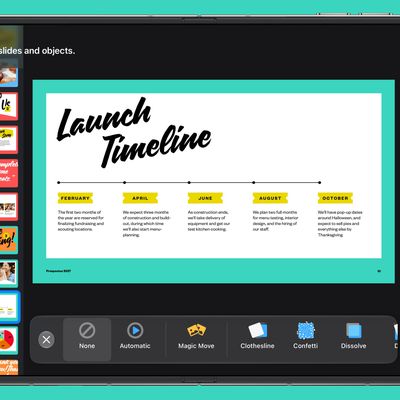
  • New "Keyboard" text build in and build out animation

Numbers for iOS Release Notes

  • Use Numbers on an ‌iPad‌ with Magic Keyboard, a mouse, or a trackpad for a new way to work with your spreadsheets. Requires iPadOS 13.4.
  • Create spreadsheets with more rows and columns than ever before.
  • Apply a color to the background of a sheet.
  • Add a Numbers spreadsheet to a shared ‌iCloud Drive‌ folder to automatically start collaborating. Requires iPadOS 13.4 or iOS 13.4.
  • Edit shared spreadsheets while offline and your changes will upload when you're back online. Requires iPadOS or iOS 13 or later.
  • Touch and hold, then drag across multiple objects to select them.
  • Easily access your recently used templates in a redesigned template chooser.
  • Print or export a PDF of your spreadsheet with comments included.
  • Add a drop cap to text in a shape.
  • Enhance your spreadsheets with a variety of new, editable shapes.

Apple has also released a new iMovie update for the iPhone and the ‌iPad‌, which includes mouse and trackpad support. The update also features new keyboard shortcuts.

  • Use iMovie on ‌iPad‌ with Magic Keyboard, a mouse, or a trackpad for a new way to create movies and trailers (requires iPadOS 13.4)
  • Use keyboard shortcuts to toggle between the five inspector modes when a clip is selected: Action, Speed adjustments, Volume, Titles, and Filters
  • Use keyboard shortcuts to quickly rotate video 90-degrees clockwise or counterclockwise
  • Tap the Download All button at the top of the soundtracks list to download all bundled soundtracks at once
  • Add PNG, GIF, TIFF, and BMP files to your movie
  • Performance and stability improvements

Apple's iMovie and iWork for iOS apps are free and can all be found in the App Store on iPhone and ‌iPad‌.

Top Rated Comments

iDento Avatar
86 months ago
Now we’re talking. iWork is so good I stopped looking for alternatives, I doubt u would anytime soon.
Score: 5 Votes (Like | Disagree)
BWhaler Avatar
86 months ago
Great update to the best office suite (imho)

Now bring on the magic keyboard for iPad.

Score: 5 Votes (Like | Disagree)
kamilstudios Avatar
86 months ago
Nice! I use Keynote all the time to make presentation and also motion graphic to be use in Final Cut Pro / editing software. This update will make me use the iPad version more!
Score: 3 Votes (Like | Disagree)
cgsnipinva Avatar
86 months ago

Better than MS Office?
MS Office is the workplace standard in large organizations - but iWork's continual improvements and added features is closing the a gap to where personal and small business use is a good use case for iWork. I will break it down like this:

1.) Keynote is equal to or slightly better than Power Point
2.) Pages has received a lot of features that add desktop publishing features from iBook author and I think has 90-95 % of MS Word functionality. It is a cleaner and tighter application than MS Word - so I give it a slight edge over Word.

3.) Numbers - well this is where Excel still has an advantage for power users - but Numbers now that is has Categories (Pivot table functionality) and an increase in row and column capacity - it is getting closer. I think if Apple would include some data tools like 'Text to Column', Remove Duplicates, Flash Fill, and Group/Ungroup -- it would have all the functionality I need.

Apple has done a good job about adding work collaboration on their iWork products and integrating iCloud into its capabilities.

While the total reboot of iWork was frustrating to a lot of users- in the long run it was a good idea as the software was recreated from the ground up and is lighter and tighter than before. As long as Apple keeps investing in it - it will get better. Now if they could just add a flow-charting application. ;)


Great update to the best office suite (imho)

Now bring on the magic keyboard for iPad.

Agree with you here. If you look at the iPad as a tablet - the iPad OS combined with the refined applications that come native with it - you can do quite a bit. For personal productivity it cannot be beat for flexibility and the ability to do work. Compare it to Android tablets and its not even close.

The iPad could be a great personal computer replacement if it could be attached to a monitor (using full resolution) and keyboard/mouse combo so it can leverage the iPadOS applications in a work station format and then be used in mobile form by just unplugging it.

It has been interesting to see how this platform has evolved.
Score: 2 Votes (Like | Disagree)
86 months ago

Great update to the best office suite (imho)

Now bring on the magic keyboard for iPad.

I really love iwork, especially “numbers” that I use with a lot of pleasure, every day, on my iPad or my Mac, but.....

I would like to have also scripting language. You can use AppleScript, of course (and I use, sometimes), but
it's far behind EXCEL, so unfortunately I HAVE to use it instead of “numbers”.
Different talk is “pages”. It's, in my opinion, the best word processing app, much easier and funny to use compared to “word”.
Score: 2 Votes (Like | Disagree)
iDento Avatar
86 months ago

Better than MS Office?
iWork is way much cleaner and fun to use. I use it all the time for personal and small business documents and presentations. However, there’s no Access, Onenote, outlook, share point.
Score: 2 Votes (Like | Disagree)

Popular Stories

iphone duo keynote

Apple's iWork Apps Get 'Intelligent Assistant' and iPhone Duo Support

Thursday October 22, 2026 1:02 pm PDT by
Apple today added an "Intelligent Assistant" to Keynote, Numbers, and Pages. The feature is available in beta for Apple Creator Studio subscribers. The update is available again following the temporary removal of the apps from the App Store. In Numbers, Intelligent Assistant can build formulas, visualize data, help generate formulas with natural language, and generate tables. The Pages...
iPhone Duo Display Cracking

Apple Alerts Stores to iPhone Duo's Display Cracking Issue

Friday October 30, 2026 3:20 pm PDT by
In a memo shared with Apple Stores and Apple Authorized Service Providers this week, and later obtained by MacRumors, Apple provided technicians with guidance on how to diagnose and address the iPhone Duo's inner display cracking issue. If a customer reports the issue, Apple advised technicians to inspect the iPhone Duo and repair or replace it in accordance with their standard procedures....
iPad mini OLED feature 1

Apple Executive Comments on New iPad Mini Lacking 120Hz Display

Thursday October 29, 2026 1:47 pm PDT by
While the new iPad mini has an OLED display, the device does not support ProMotion, meaning the display's refresh rate is limited to 60Hz instead of 120Hz. ProMotion support would have allowed for the iPad mini's refresh rate to automatically adjust from 10Hz to 120Hz depending on the content being displayed, but evidently Apple has kept the feature exclusive to the iPad Pro among iPad...
Latest Stories
Nearly Every M5 MacBook Air Now $200 Off on Amazon
38 minutes ago
Apple's HomeView Ships With Six-Month-Old Software
3 hours ago
Three New iPads Rumored to Launch in First Half of 2027
3 hours ago
Apple Offers Steps to Fix Daylight Saving Time Bug on Apple Watch
7 hours ago
Apple Watch Ultra 4 Hits All-Time Low Price With Amazon's $99 Discount
1 day ago
Reminder: Apple's Big Discount on Beats 360 Ear Cushions Ends Today
1 day ago
Here's a New Tour of Apple's HomeView Software
1 day ago
Apple Reveals New iPad Mini's Battery Capacity
1 day ago
Top Stories: Apple's Big MacBook Pro, iPad mini and iMac Updates
1 day ago
'Pluribus' Season 2 Reportedly Starts Production Today
1 day ago
iPhone 18 Pro Sales Surge in China, Offsetting Decline in U.S. and Japan
1 day ago
HomeView Software 27.2: Wallpapers, Control Center, and More
2 days ago
Apple Alerts Stores to iPhone Duo's Display Cracking Issue
2 days ago
iOS 27.3 Will Enable These Apple Intelligence Features in China
2 days ago
Apple Says iOS 27.3 Beta Coming Next Week
2 days ago
Apple's Flash Storage Suppliers Are Finally 'Getting Their Revenge'
2 days ago
14 New Things Your iPhone Can Do in iOS 27.2
2 days ago
iPhone Duo Review: One Week Later
2 days ago
Samsung Mocks iPhone Duo Display Cracks in New Ad Campaign
2 days ago
The MacRumors Show: OLED MacBook Pro, iPad Mini 8, and More
2 days ago
MacBook Pro With Touch Display: 15 More Details Revealed
2 days ago
Russia Places Apple on State Surveillance Registry
2 days ago
Halloween Weekend Brings Discounts on Apple Accessories and Pre-Orders
2 days ago
Apple Has Released More Than 25 New Products in the Past Two Months
2 days ago
Local Code Launches as Free, Private AI Assistant Tool for Mac
2 days ago
Apple Acquires Ascend.io
2 days ago
HomePod Mini 2 Launches Today: All the New Features
2 days ago
AirTag 2 4-Pack Drops to New Low Price of $69.99
2 days ago
Rian Johnson's iPhone Camera App Goes Viral
2 days ago
Where Did All the iPhone Duos Go? Mostly to Apple's Stores
2 days ago

🔗 Related Apple News & Rumors

Stay updated with the latest Apple ecosystem news and verified rumors