iOS 8 Keyboards, 'Full Access', and User Privacy - MacRumorsOpen MenuShow RoundupsShow Forums menuVisit ForumsOpen Sidebar
Skip to Content

iOS 8 Keyboards, 'Full Access', and User Privacy

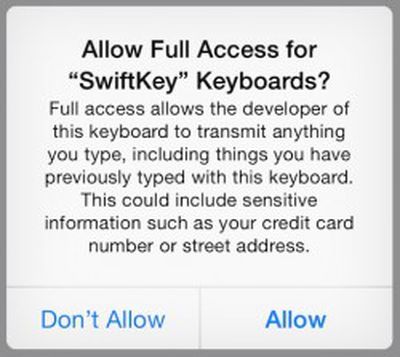
ios_8_keyboard_full_accessThird-party systemwide keyboards have been one of the biggest hits of iOS 8 since its launch last week, with some of the big names in the business leaping straight to the top of the App Store charts. But with that success has come questions about privacy and the security of these keyboards, considering the personal information users are sometimes entering through them.

Concern over these keyboards has been sparked in part by a standard warning displayed by iOS 8 when the keyboards are granted "full access" to enable their entire sets of features. Different keyboard apps break down their feature sets between standard install and "full access" differently, so we set out to find out what is driving those differences.

Full access allows the developer of this keyboard to transmit anything you type, including things you previously typed with this keyboard. This could include sensitive information such as your credit card number or street address.

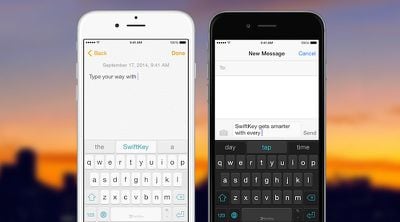
The early leader among free keyboard apps in the United States and many other countries was SwiftKey Keyboard [Direct Link] which topped one million downloads in less than 24 hours of availability. While the basic keyboard works with a standard installation, several of its key features, including word predictions and the SwiftKey Flow finger-tracing typing method, require that full access be granted to SwiftKey Keyboard. This naturally has caused some concern among users worried that their sensitive information typed on the keyboard is being sent back to SwiftKey for unknown purposes.

SwiftKey's communications chief Jennifer Kutz tells MacRumors that despite the request for full access, "none of your language insights leave your device unless you opt in to our SwiftKey Cloud service." Certain types of potentially personal information such as credit card and phone numbers (or any other long numbers) are also intentionally ignored by SwiftKey.

The optional SwiftKey Cloud includes several services that allow for backup and syncing of language data across devices for more accurate typing, while also allowing SwiftKey to tap into the user's writing on Gmail, Facebook, and Twitter to help improve its predictions.
swiftkey_hero
So why does SwiftKey require full access for predictions and Flow even if SwiftKey Cloud services are not being used? According to Kutz, SwiftKey has opted to host key parts of the keyboard's engine (such as quick period, autocorrect, auto-capitalize, and getting completions, corrections or predictions from any language model) within the container app that displays on the home screen rather than the extension that houses the keyboard itself. Kutz says this strategy helps "make sure the keyboard extension size stays manageable for better performance". Offloading more of the tasks to the container app and convincing users to allow full access also allows SwiftKey to more efficiently deliver upgrades such as language packs in the future without requiring App Store updates.

As for those who choose to activate SwiftKey Cloud for improved predictions, Kutz notes that all data is fully encrypted in line with privacy protection laws and stored on Amazon S3 servers. Users can also opt out of SwiftKey Cloud at any time, which immediately deletes their data from SwiftKey's servers.

SwiftKey has also published a blog post addressing its rationale for requiring full access to activate some of the app's key features.

Some have also questioned whether SwiftKey is looking to mine user data as a revenue stream, as the app is offered free of charge. Kutz assures us, however, that this is not the case, with SwiftKey funding itself through licensing partnerships with manufacturers such as Samsung, in-app purchases such as themes in the Android app (and presumably coming to iOS in the future), and investor funding. Kutz also points to SwiftKey's privacy policy and data security fact sheet for more details on how user data is handled.

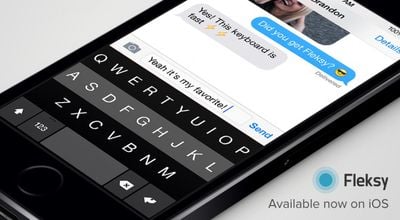
For an alternative take, we also talked to Fleksy founder and chief operating officer Ioannis Verdelis. Fleksy Keyboard - Happy Typing [Direct Link] has proven to be another popular option among iOS 8 keyboard users, holding down the second spot on the U.S. paid iPhone apps chart. Unlike SwiftKey, Fleksy does not require full access be granted in order for predictions to function. Full access for Fleksy is, however, required for other personalization and customization options such as pulling in Facebook, Gmail, and Twitter typing data, adding languages, and managing other options.
fleksy_hero

Fleksy performs all of its processing locally on the device, and does not need Full Access to perform its corrections. Users can improve its performance if they want, by allowing network access so they can sync their language data from Facebook, Gmail and Twitter. However, this is completely optional. [...]

We don't collect people's keystrokes, typing data, credit card numbers, etc, regardless of whether you enable Full access or not. The Apple warning when you enable Full Access is a standard warning for all keyboards. But we also tried really hard to ensure that besides our privacy policy, customers are also protected about the standard iOS systems in place.

Verdelis notes that Fleksy does perform all of its prediction work in the extension rather than the container app and that his team has seen no adverse effects on performance in using this method. He argues that basic auto-correction and prediction are "pretty core functionality, and it should not need network access to be done."

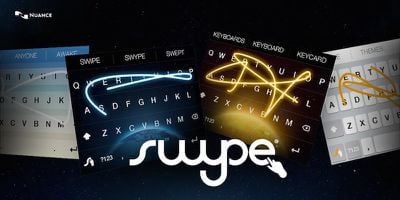
Finally, we talked with Rebecca Paquette of Nuance Communications, the company known for its voice recognition technology but which is also behind the popular Swype [Direct Link] keyboard app currently topping the paid iPhone app charts. Nuance has embraced a fairly minimalist strategy with Swype, and as such does not require that full access be granted for any of its functionality except under certain circumstances such as when using it in Guided Access mode. All predictions, themes, and languages are currently accessible without requiring full access.

The features we were most focused on for our launch of Swype on iOS 8 were speed and accuracy - a keyboard that is intuitive and powerful to use. Swype for iOS 8 currently stores personal language models on the device - getting smarter as people use it to predict the words and phrases they use the most, leveraging our pioneering predictive input capabilities.

Paquette also notes that users of course have the ability to delete their language data, including custom dictionary entries, at any time.
swype_hero
Unlike some other keyboards, Swype does not include an option for pulling in typing data from other services such as Facebook and Gmail, and does not offer a cloud backup or syncing service at this time, with this simplicity allowing it to forgo the need for full access.

Ultimately, what it comes down to is trust. Granting a keyboard full access certainly does mean that any typing data can be transmitted back the developer's servers for a variety of uses. Most high-profile firms have a vested interest in maintaining user trust and being forthcoming about how that data is used.

So while there are potential risks to granting a keyboard full access and some security researchers thus recommend not using any keyboard requiring full access, users weighing the usefulness of a given keyboard should at a minimum be informed enough to consider the level of trust they have in the developers behind those keyboards before deciding whether or not to grant full access.


Related Forum: iOS 8

Popular Stories

iPhone Duo Display Cracking

Apple Alerts Stores to iPhone Duo's Display Cracking Issue

Friday October 30, 2026 3:20 pm PDT by
In a memo shared with Apple Stores and Apple Authorized Service Providers this week, and later obtained by MacRumors, Apple provided technicians with guidance on how to diagnose and address the iPhone Duo's inner display cracking issue. If a customer reports the issue, Apple advised technicians to inspect the iPhone Duo and repair or replace it in accordance with their standard procedures....
iPad mini OLED feature 1

Apple Executive Comments on New iPad Mini Lacking 120Hz Display

Thursday October 29, 2026 1:47 pm PDT by
While the new iPad mini has an OLED display, the device does not support ProMotion, meaning the display's refresh rate is limited to 60Hz instead of 120Hz. ProMotion support would have allowed for the iPad mini's refresh rate to automatically adjust from 10Hz to 120Hz depending on the content being displayed, but evidently Apple has kept the feature exclusive to the iPad Pro among iPad...
Pinched iPad Mini

Apple Avoids Showing Pinched Fingers on iPad Mini Page in South Korea

Thursday October 29, 2026 11:52 am PDT by
In the U.S. and most other countries, Apple's website shows the new iPad mini being held by pinched fingers, but this is not the case in South Korea. The new iPad mini shown with pinched fingers on Apple's website in the U.S. On its South Korean website, Apple simply shows an image of the iPad mini on its own. The new iPad mini shown without pinched fingers on Apple's website in South Korea ...

Top Rated Comments

sniffies Avatar
158 months ago
The fact that devs can record everything you type is why I refuse to use any custom keyboards.

Score: 42 Votes (Like | Disagree)
158 months ago
The fact that devs can record everything you type is why I refuse to use any custom keyboards.

Yet it's quite clearly obvious that none of the major keyboard developers actually dive into your information and steal your data. Honestly, you're not that special mate.

If Swipe or SwiftKey used our data maliciously on Android (for example) they'd be bankrupted and long gone before developing on iOS.

My two cents.
Score: 13 Votes (Like | Disagree)
158 months ago
I honestly don't get what all this fuss is about.

Firstly, when using the keyboard for security purposes (i.e. logging on to your phone if you have advanced passwords set), then the default keyboard appears anyway, from what I've seen with SwiftKey so far...

Secondly, it's only the press of 1 button to toggle on the standard apple keyboard, so when entering bank details, passwords etc - why don't you just toggle this keyboard on at these times?

Honesty, people are so keen on creating a fuss over ****-all these days... Why don't we all call this keyboardgate? :rolleyes:

:o
Score: 12 Votes (Like | Disagree)
Piggie Avatar
158 months ago
And all Apple had to EVER DO, was to write a small selection of their own custom keyboards, so people could pick one from the range of layouts Apple offered.

Only because Apple seem, as a company, unable to design any alternate keyboards do we even need to be going down this path in the 1st place.

Shame :(
Score: 10 Votes (Like | Disagree)
158 months ago
I've yet to use a third party keyboard that offers an experience better than the native one. I'll wait until the bugs are more worked out. So far I've had nothing but problems trying to use the third parties.
Score: 5 Votes (Like | Disagree)
OldSchoolMacGuy Avatar
158 months ago
So? This is the same with every app you use. When you use Facebook, they can see all the info you enter there. When you use Twitter, they can see all of the info you enter there. Google takes every bit of what you enter there, from searches to emails and people are happy to use it.

You read the privacy policy and see what they're doing with your info and you decide if you're going to use it.

Spread the fear and outrage MacRumors. :rolleyes:
Score: 4 Votes (Like | Disagree)
Latest Stories
Nearly Every M5 MacBook Air Now $200 Off on Amazon
4 hours ago
Apple's HomeView Ships With Six-Month-Old Software
6 hours ago
Three New iPads Rumored to Launch in First Half of 2027
6 hours ago
Apple Offers Steps to Fix Daylight Saving Time Bug on Apple Watch
10 hours ago
Apple Watch Ultra 4 Hits All-Time Low Price With Amazon's $99 Discount
1 day ago
Reminder: Apple's Big Discount on Beats 360 Ear Cushions Ends Today
1 day ago
Here's a New Tour of Apple's HomeView Software
1 day ago
Apple Reveals New iPad Mini's Battery Capacity
1 day ago
Top Stories: Apple's Big MacBook Pro, iPad mini and iMac Updates
1 day ago
'Pluribus' Season 2 Reportedly Starts Production Today
2 days ago
iPhone 18 Pro Sales Surge in China, Offsetting Decline in U.S. and Japan
2 days ago
HomeView Software 27.2: Wallpapers, Control Center, and More
2 days ago
Apple Alerts Stores to iPhone Duo's Display Cracking Issue
2 days ago
iOS 27.3 Will Enable These Apple Intelligence Features in China
2 days ago
Apple Says iOS 27.3 Beta Coming Next Week
2 days ago
Apple's Flash Storage Suppliers Are Finally 'Getting Their Revenge'
2 days ago
14 New Things Your iPhone Can Do in iOS 27.2
2 days ago
iPhone Duo Review: One Week Later
2 days ago
Samsung Mocks iPhone Duo Display Cracks in New Ad Campaign
2 days ago
The MacRumors Show: OLED MacBook Pro, iPad Mini 8, and More
2 days ago
MacBook Pro With Touch Display: 15 More Details Revealed
2 days ago
Russia Places Apple on State Surveillance Registry
2 days ago
Halloween Weekend Brings Discounts on Apple Accessories and Pre-Orders
2 days ago
Apple Has Released More Than 25 New Products in the Past Two Months
2 days ago
Local Code Launches as Free, Private AI Assistant Tool for Mac
2 days ago
Apple Acquires Ascend.io
2 days ago
HomePod Mini 2 Launches Today: All the New Features
2 days ago
AirTag 2 4-Pack Drops to New Low Price of $69.99
2 days ago
Rian Johnson's iPhone Camera App Goes Viral
2 days ago
Where Did All the iPhone Duos Go? Mostly to Apple's Stores
2 days ago

🔗 Related Apple News & Rumors

Stay updated with the latest Apple ecosystem news and verified rumors









































